
Visualization
Visualization shows the animation screens you have designed as they run. The designer’s editing tools are not there; the screen simply updates itself with live values.
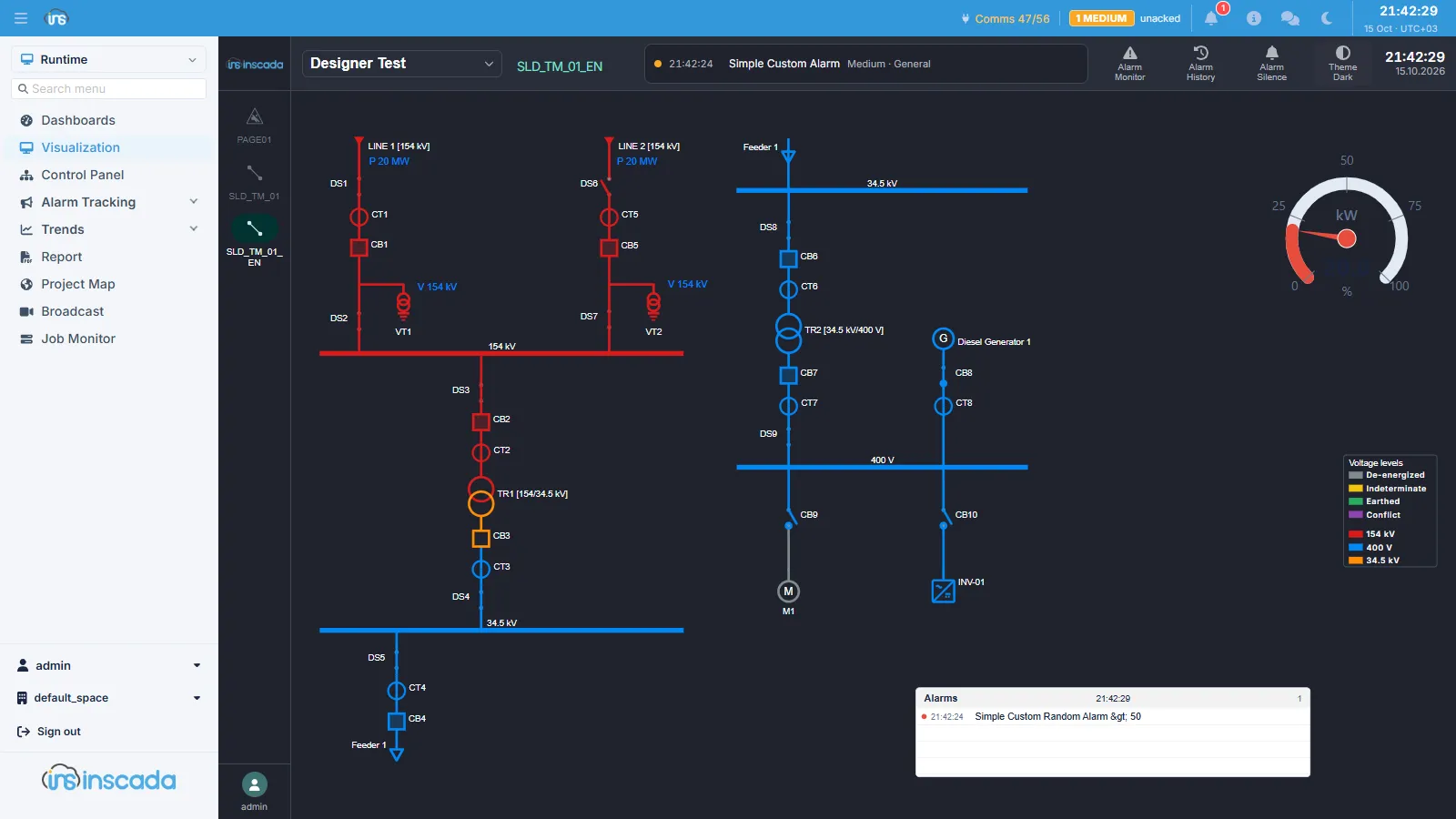
The dropdown at the top picks the project, and that project’s main animation opens.
What you see
Section titled “What you see”Every element on the screen is bound to a variable and behaves according to its value: a number updates, an indicator changes colour, a bar fills, a pump turns. What is bound to what is defined on the animation side.
How this differs from the designer
Section titled “How this differs from the designer”| Visualization | The animation designer | |
|---|---|---|
| Purpose | Watching and commanding | Drawing and binding |
| Values | Live | Live, alongside the design tools |
| Who gets it | The operator | The developer |
An operator role is typically given this screen and not the designer: an operator needs to use the screen, not change it.
Commanding
Section titled “Commanding”Where a click event is bound to an element, a value can be written from here. That is a control command: it requires the SET_VARIABLE_VALUE permission, and if the variable carries an operation lock the password is asked for.
Related
Section titled “Related”- Animations — designing the screens
- Dashboards — screens built from ready-made components
- Control Panel — the raw values
- Shell Views and Kiosk Mode — changing the frame around this screen