
Analog Alarms
An analog alarm compares a numeric variable against thresholds. Four levels can be defined; each is optional, and a threshold left empty is not evaluated.
The fields every alarm carries (name, groupId, delay, part, isActive, …) are listed on Alarm Management. This page covers only what is specific to the analog type.
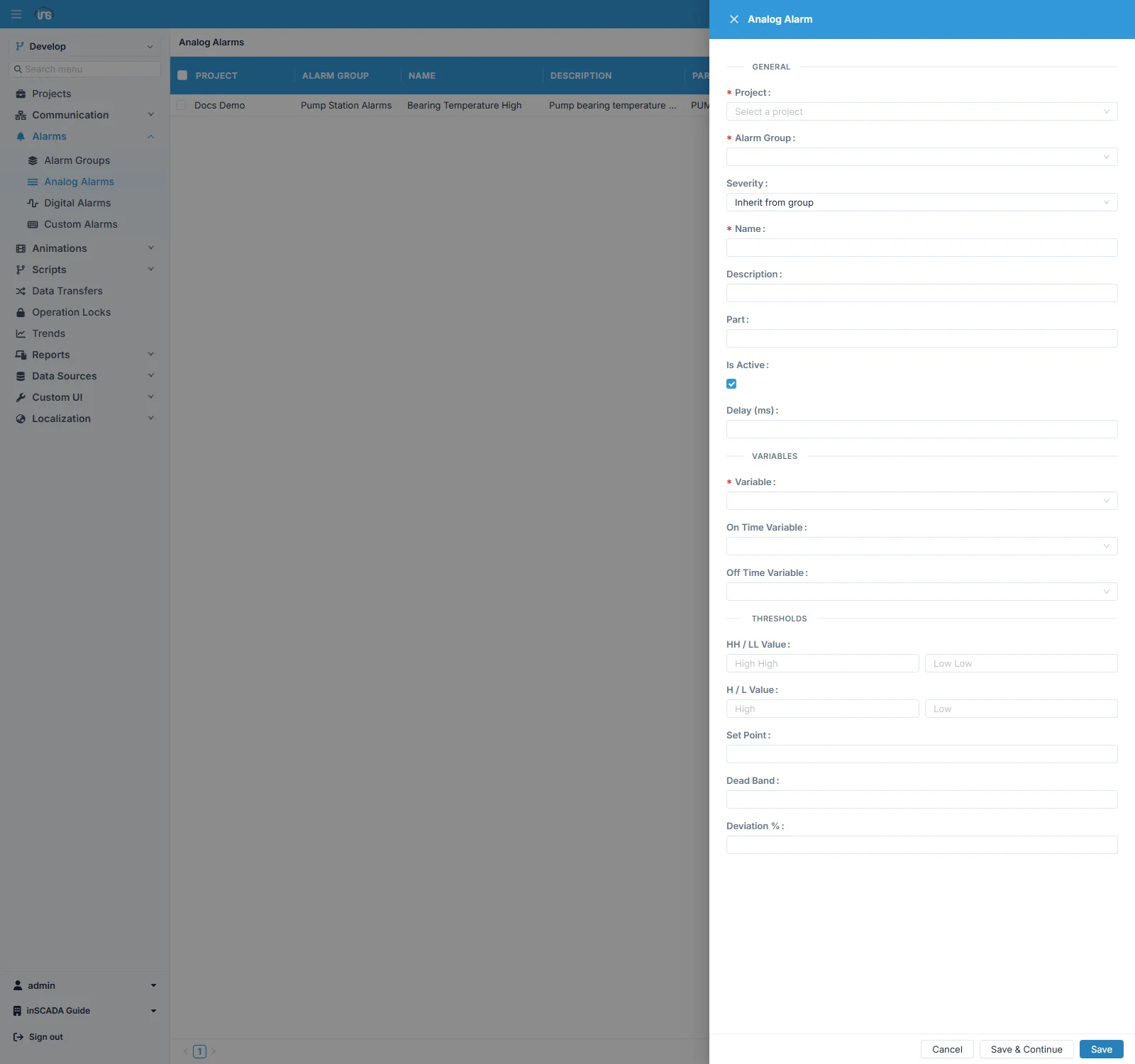
On the form the thresholds are grouped in pairs: HH / LL take the critical levels, H / L the warning levels.
Type-specific Fields
Section titled “Type-specific Fields”| Field | Description |
|---|---|
| variableId | The variable being watched |
| highHighValue | Very high — critical threshold |
| highValue | High — warning threshold |
| lowValue | Low — warning threshold |
| lowLowValue | Very low — critical threshold |
| setPointValue | Reference value, used for the deviation calculation |
| deviationPercentage | Percentage deviation from setPointValue |
| deadband | Hysteresis, as an absolute value |
Thresholds
Section titled “Thresholds”The four thresholds let a quantity be watched at two levels in each direction:
| Threshold | Meaning | Example |
|---|---|---|
| High-High | Critical upper limit | Temperature > 90 °C |
| High | Upper warning limit | Temperature > 70 °C |
| Low | Lower warning limit | Pressure < 2 bar |
| Low-Low | Critical lower limit | Pressure < 1 bar |
Filling in only the ones you need is enough. On a temperature alarm where only the upper limit matters, lowValue and lowLowValue are left empty.
Deadband — stopping an alarm from chattering
Section titled “Deadband — stopping an alarm from chattering”A value hovering right at a threshold switches ON and OFF continuously without a deadband, which makes the alarm list unusable.
deadband sets how far the value must come back before the alarm clears: with a threshold of 70 and a deadband of 2, the alarm fires at 70 but does not clear until the value drops below 68. That two-unit band keeps measurement noise from re-triggering it.
The delay field serves a similar purpose but works differently: deadband filters on value, delay filters on time. Use delay against brief spikes, deadband against signals that sit on the limit. They can be combined.
Deviation percentage
Section titled “Deviation percentage”When what matters is drift from a reference rather than an absolute limit, use setPointValue with deviationPercentage. With a set point of 100 and a deviation of 10, the alarm fires once the value leaves the 90–110 band.
This avoids having to edit thresholds by hand in processes whose set point changes with the production conditions.
Related
Section titled “Related”- Alarm Groups — scan period, colours and trigger scripts
- Digital Alarms · Custom Alarms