
Digital Alarms
A digital alarm watches the state of a boolean variable. There are no thresholds — the condition is the value itself.
| Evaluated result | Alarm state |
|---|---|
true | ON — fires |
false | OFF — clears |
One variable is often enough, but two can be combined with AND/OR logic, and either of them can be inverted.
The fields every alarm carries (name, groupId, delay, part, isActive, …) are listed on Alarm Management.
Type-specific Fields
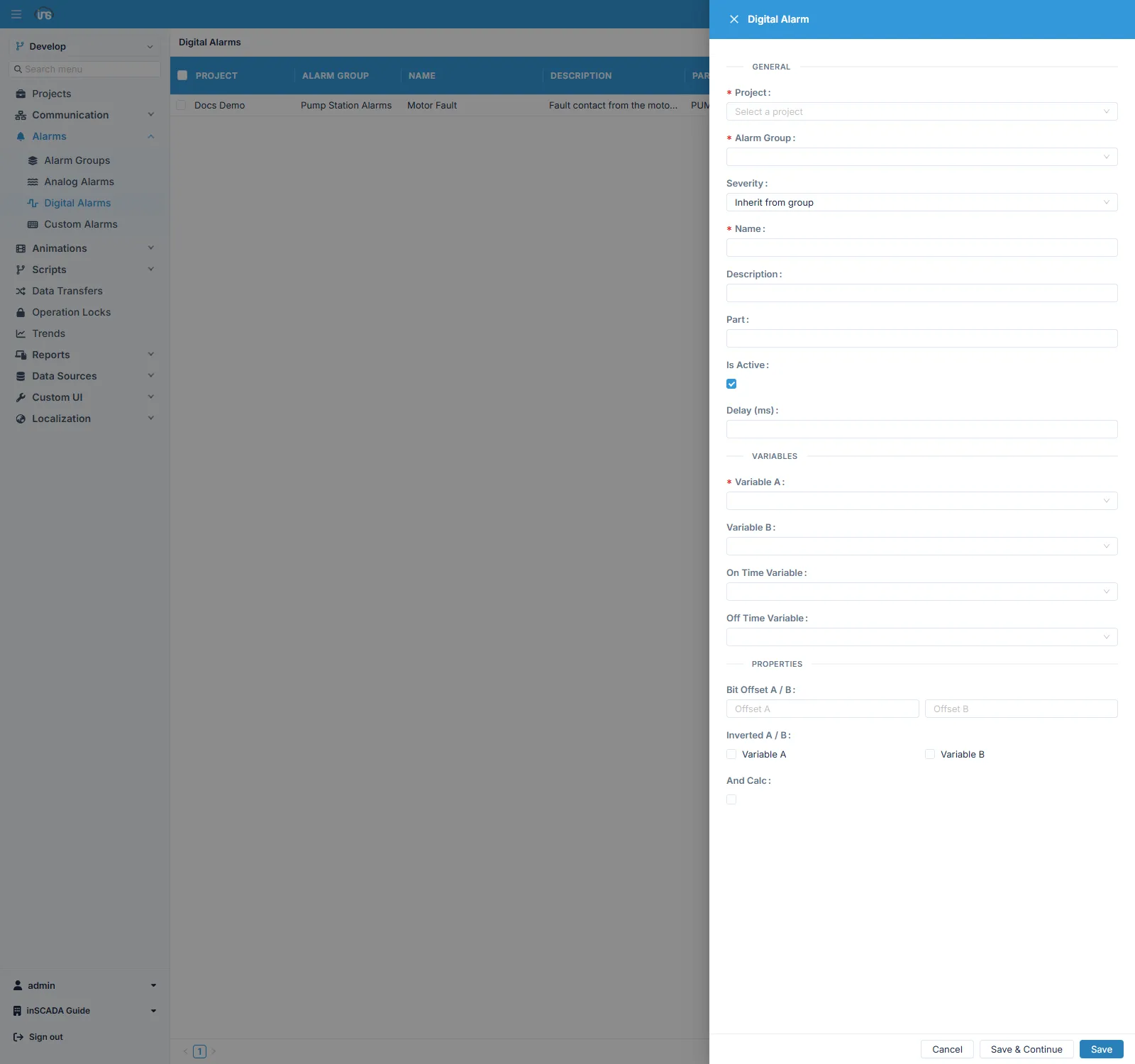
Section titled “Type-specific Fields”| Field | Description |
|---|---|
| variableAId | First variable — required |
| variableBId | Second variable — optional |
| variableAInverted | Evaluate NOT(A) instead of A |
| variableBInverted | Evaluate NOT(B) instead of B |
| andCalc | With two variables: true → A AND B, false → A OR B |
| variableABitOffset | Which bit of A to watch, if A is an integer (0-63) |
| variableBBitOffset | Which bit of B to watch, if B is an integer (0-63) |
Signals with inverted logic
Section titled “Signals with inverted logic”Some signals report the healthy state as true — a ready signal, or a running feedback. Used directly, such a signal leaves the alarm permanently active while the system is normal.
This needs no script and no second variable holding the inverse: tick variableAInverted and the condition is evaluated as NOT(A).
Two-variable conditions
Section titled “Two-variable conditions”When a second variable is given, andCalc decides how the two combine.
| Goal | Setup |
|---|---|
| Either of two fault signals | A = fault 1, B = fault 2, andCalc = false (OR) |
| Pump running but no pressure | A = running signal, B = pressure low, andCalc = true (AND) |
| Command given but no feedback | A = command, B = feedback with variableBInverted, andCalc = true |
That last row is one of the most common uses of a digital alarm: the equipment was told to run and did not report back, which means something is wrong. Combined with inversion, the condition fits into a single digital alarm — no custom alarm required.
A single bit inside an integer
Section titled “A single bit inside an integer”Status information from the field often arrives packed into a status word rather than as separate booleans. variableABitOffset watches one bit of that word, so there is no need to define a separate variable per bit.
Bit numbering starts at 0 and goes up to 63.
Bouncing contacts
Section titled “Bouncing contacts”Mechanical contacts can open and close several times as they switch. To keep each bounce from producing its own alarm record, use the delay field: the alarm does not fire unless the condition holds for the given time.
Typical use
Section titled “Typical use”Contact and status signals from the field belong to this type: motor fault signal, emergency stop, door / hatch open contact, pump running feedback, phase sequence fault.
If the condition needs more than two variables, or rests on a calculation, use a Custom Alarm.
Related
Section titled “Related”- Alarm Groups — scan period, severity, colours and trigger scripts
- Analog Alarms · Custom Alarms