
Alarm Monitor
The alarm monitor shows the alarms that are currently firing, and is the screen an operator acts from.
Alarms are defined on the development side; this screen only shows records that have fired. For the definitions see Alarm Management.
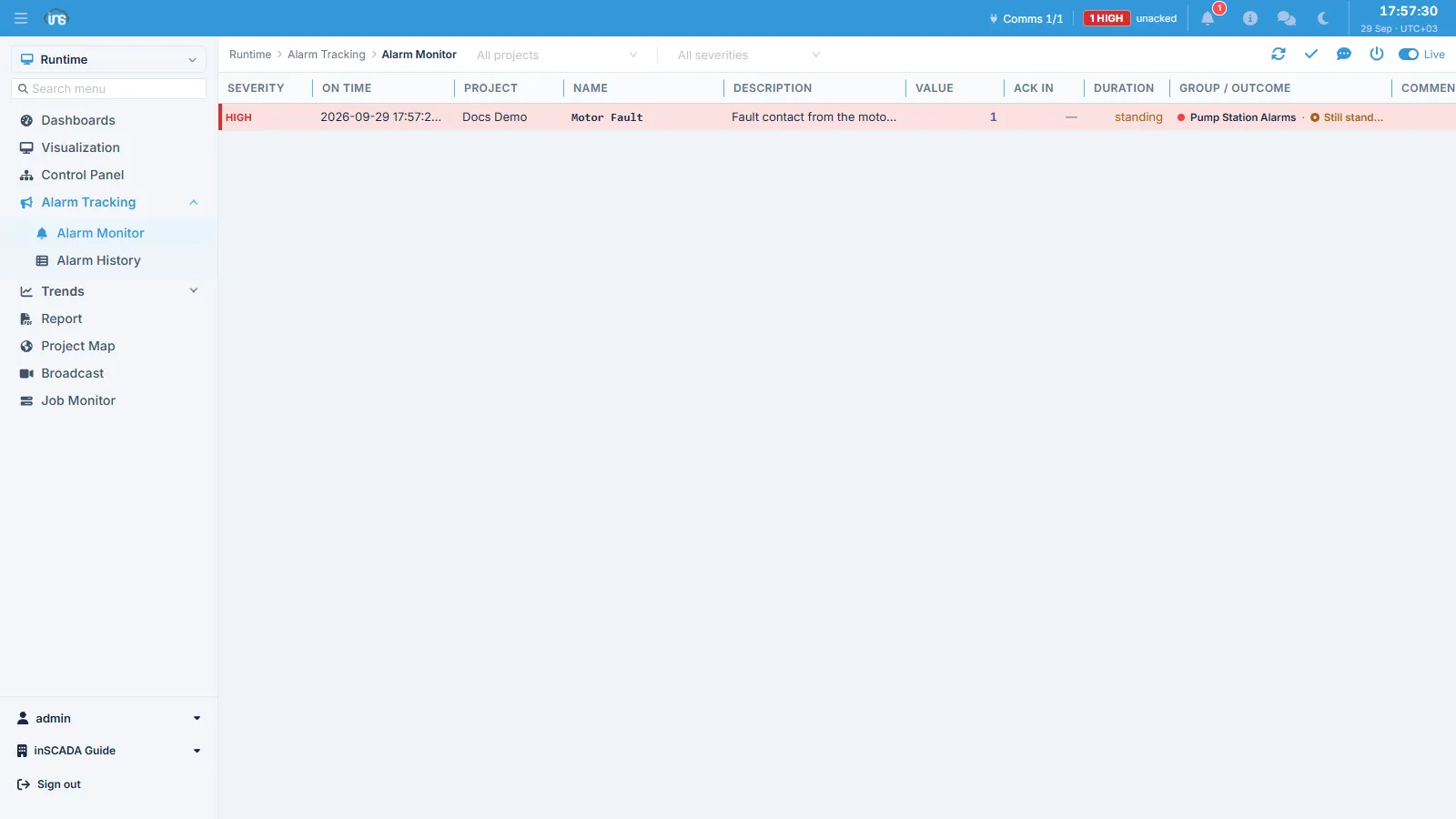
Rows are ordered by urgency by default. The counter in the top bar gives the number of unacknowledged alarms with their level; the Duration column shows how long an alarm has been standing, and Ack In how long it took to be acknowledged.
Operator Actions
Section titled “Operator Actions”| Action | Changes the state? | What happens |
|---|---|---|
| Acknowledge | No | acknowledgeTime and acknowledgedBy are filled; the alarm can stay ON |
| Comment | No | comment, commentTime and commentedBy are filled |
| Force Off | Yes | The alarm is pulled to OFF — even though the condition still holds |
Alongside these there is the system’s own clearing: when the condition goes away the alarm turns OFF on its own and offTime is filled.
Reading the colours
Section titled “Reading the colours”Because state and acknowledgement are independent, there are four combinations. The colours are defined on the alarm group → Alarm Groups.
| State | Acknowledged | Group field | Typical use |
|---|---|---|---|
| ON | No | onNoAckColor | The most prominent — usually red, flashing |
| ON | Yes | onAckColor | Still wrong but known — solid red |
| OFF | No | offNoAckColor | Over but unseen — usually amber |
| OFF | Yes | offAckColor | Cleared and seen — normal |
The “OFF and unacknowledged” row matters especially: it marks an alarm that came and went while nobody was at the screen. A shift that looks only at active alarms misses that event.
During maintenance
Section titled “During maintenance”Work on a piece of equipment is expected to produce a flood of alarms from the field. Rather than acknowledging each one, the relevant alarm group can be disabled for the duration; while it is off, the definitions inside it are not evaluated.
This can also be done from a script → Alarm API
Related
Section titled “Related”- Alarm History — querying past records by date range
- Alarm Management — how alarm definitions are structured