
Spaces
A space is the platform’s tenant boundary: projects, connections, users, roles and records live inside one and do not cross out of it. This screen manages the spaces themselves.
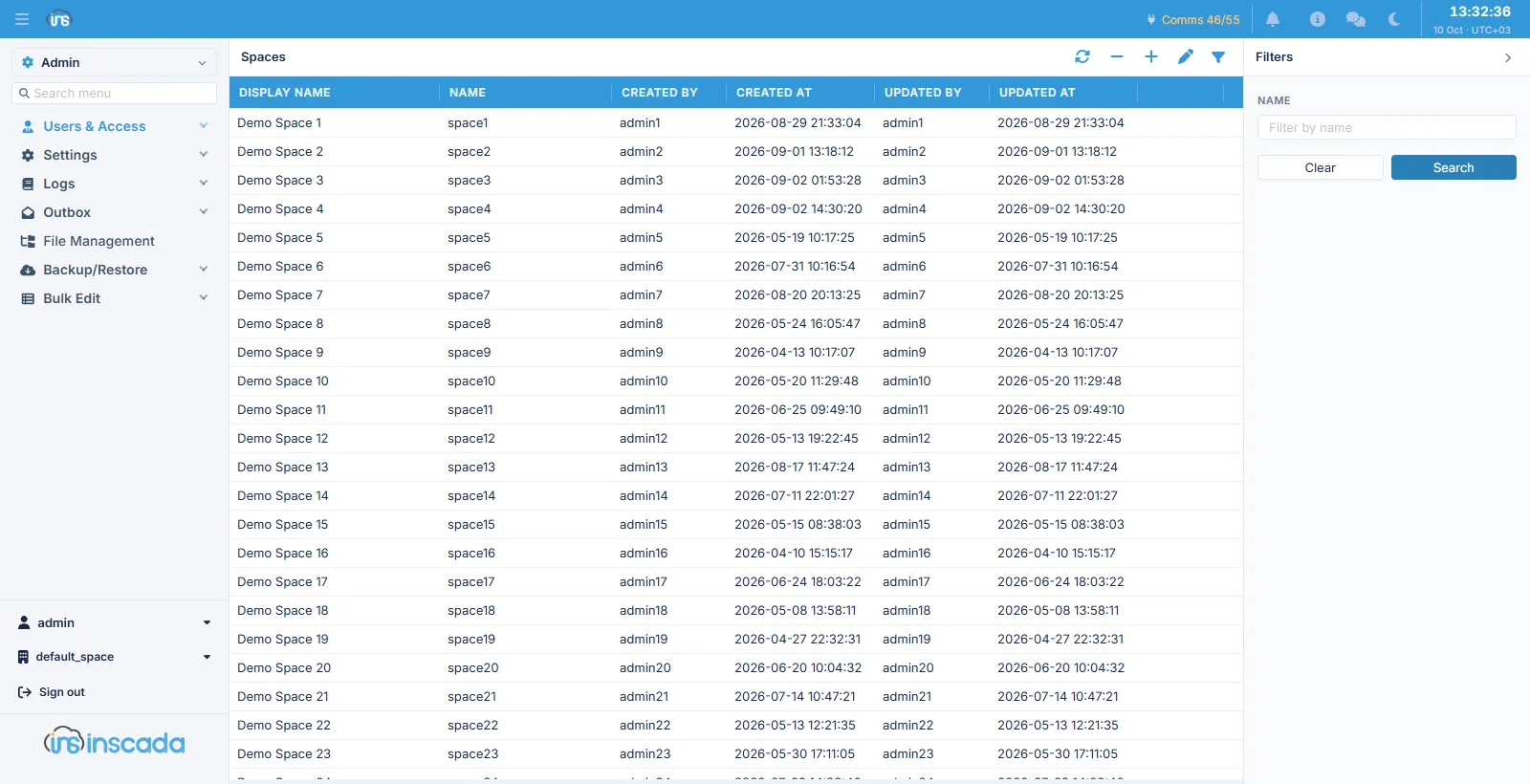
Columns
Section titled “Columns”| Column | Description |
|---|---|
| Display Name | The name shown in the interface |
| Name | The space’s technical name |
| Created By / Created At | Who created it and when |
| Updated By / Updated At | Who last changed it and when |
Name against display name
Section titled “Name against display name”There are two fields and they do different jobs:
| Name | Display Name | |
|---|---|---|
| Who sees it | The system | The user |
| Unique | Yes, across the installation | No |
| Changeable | No | Yes |
What a new space ships with
Section titled “What a new space ships with”Every space created starts with two system roles:
| Role | What it is for |
|---|---|
| Space Admin | The space’s administrator role |
| Automation | The role the platform’s own automation (scripts, scheduled jobs) acts as |
Both are system records and are protected from deletion. After adding the first user to a space, giving them Space Admin is enough for that space to run itself.
Adding users
Section titled “Adding users”Making a user a member of a space is done not here but from the User Spaces panel on the Users screen — membership is a property of the account, not of the space.
Related
Section titled “Related”- Users — accounts and space membership
- Space Roles — roles within a space
- Users & Access — the model as a whole