
Animations
An animation is inSCADA’s visualisation component. It is built from an SVG file: objects inside the SVG are bound to variables, and the screen updates in real time as those values change.
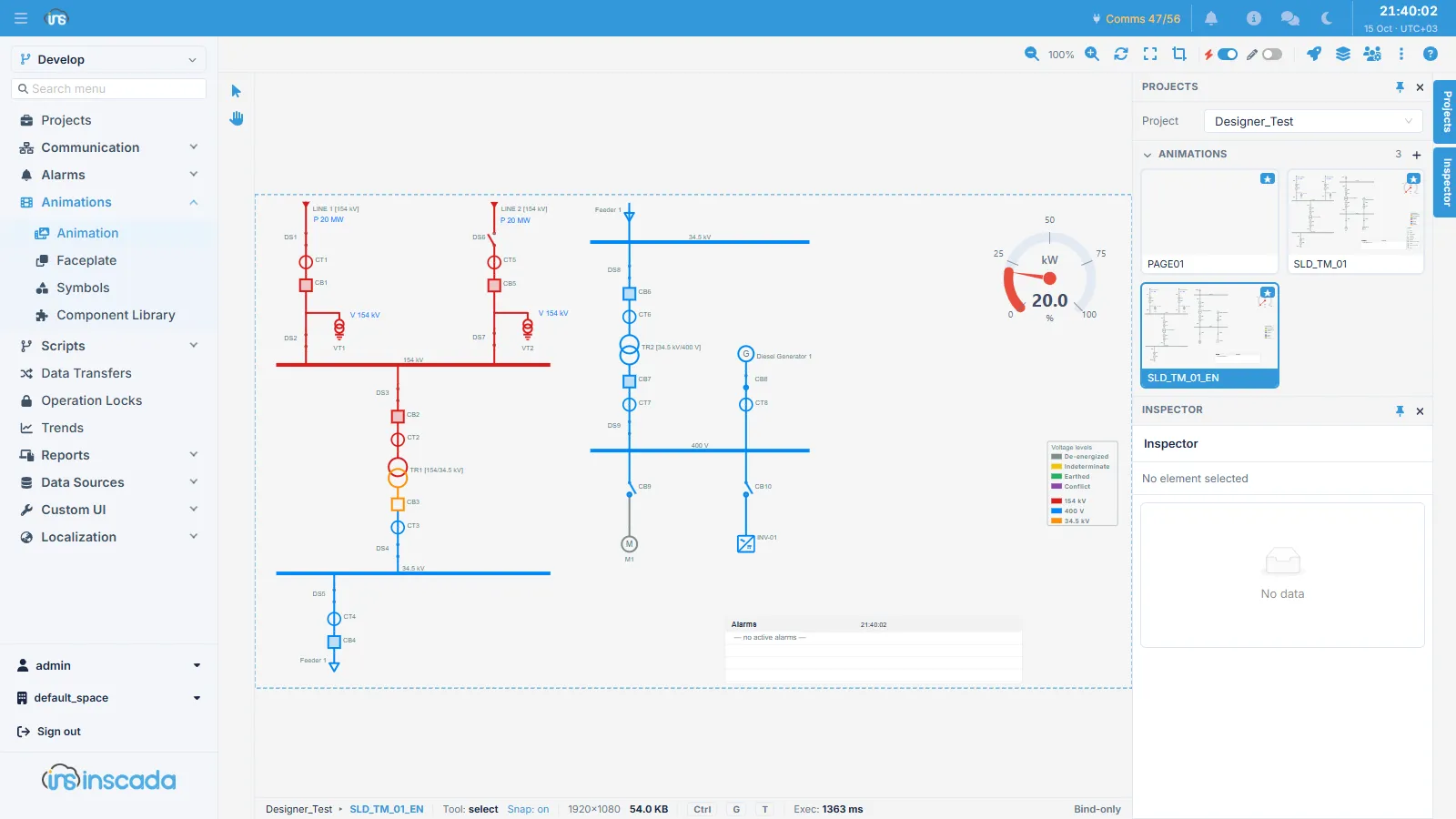
Building a screen takes two steps: first you create the drawing — in the platform’s own designer, from a template, or by uploading an SVG prepared elsewhere — then you bind behaviour to individual objects. Binding needs no code: you click an object on the screen and choose a type and an expression.
The screens in this section
Section titled “The screens in this section”| Screen | What it does |
|---|---|
| Animation | Creates the screen, uploads the SVG and binds behaviour to objects |
| Faceplate | Reusable, parameterised screen fragments |
| Symbols | A library of commonly used drawing elements |
| Component Library | Ready-made interface components |
Where to go next
Section titled “Where to go next”If you are building a screen from scratch, the Animation page covers the process end to end.
If you are looking for how a particular binding is configured — changing colour, a bar, rotation, a click — each type has its own page; the table on the Animation page links to all of them.
If you want to reuse one screen across several pieces of equipment, see Faceplate.