
Bulk Edit — Export
A bulk edit export writes the data types you select into an Excel workbook. The point is not to keep a copy but to edit records in bulk and load them back.
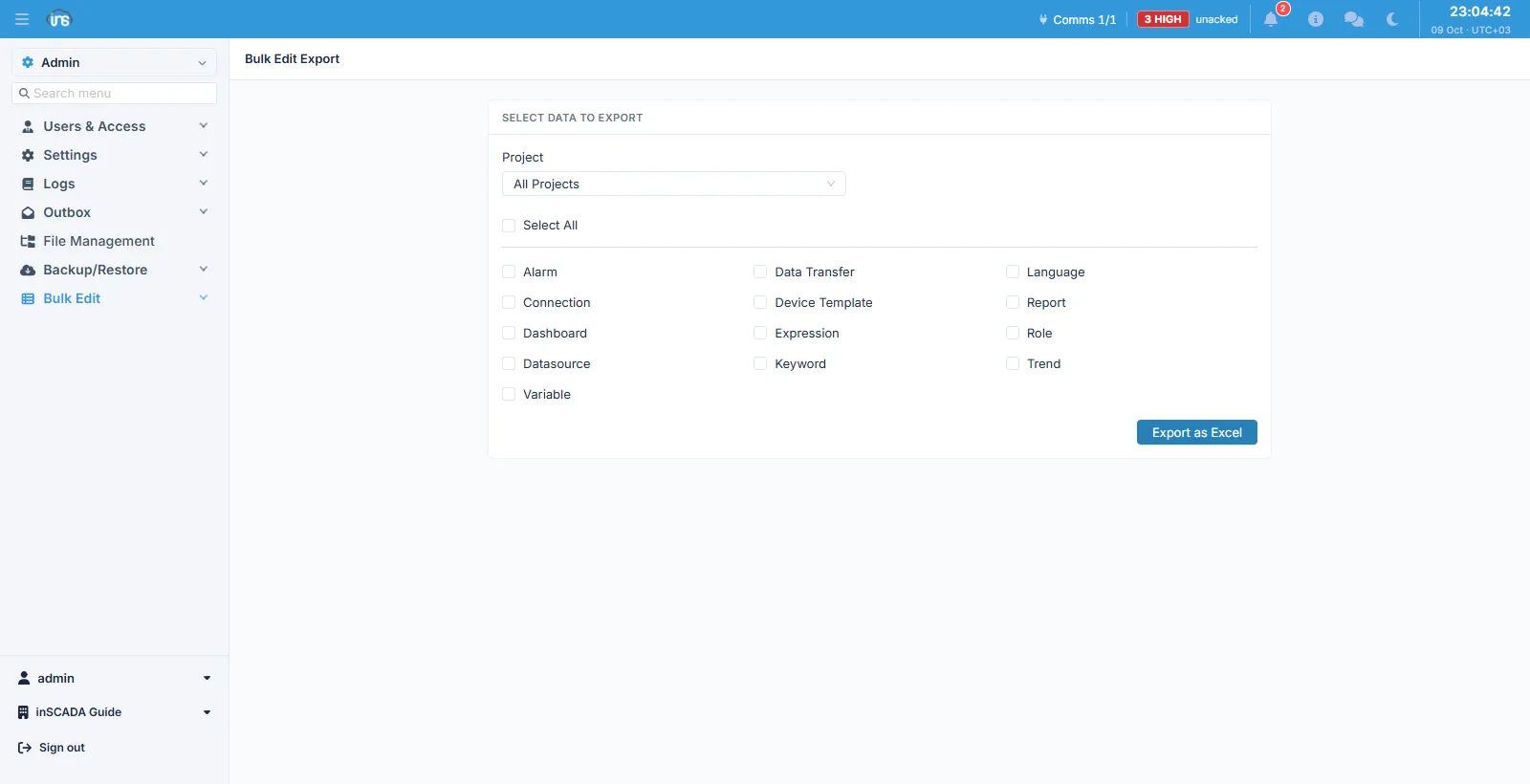
Fields
Section titled “Fields”| Field | Description |
|---|---|
| Project | All Projects, or one project |
| Types | The data types to export; Select All ticks every one |
The types available are: Alarm, Connection, Dashboard, Datasource, Variable, Data Transfer, Device Template, Expression, Keyword, Language, Report, Role and Trend.
Each type is written to its own sheet in the workbook.
How this differs from a backup
Section titled “How this differs from a backup”The two screens look alike but answer different questions:
| Bulk Edit | Backup | |
|---|---|---|
| Type selection | Yes | No — always everything |
| Row access | Applied — a row you cannot see does not reach the file | Not applied — it runs as the system user |
| Per-type permissions | Required | Passed by |
| Format | Excel (.xlsx) | An integrity-protected .zip |
| What it is for | Editing records | Restoring an installation |
The distinction is deliberate: here a person really is choosing what to look at, so their own permissions and their own row access apply. A backup offers no choice, because a backup that is missing something is not restorable.
Related
Section titled “Related”- Bulk Edit → Import — loading the edited file back
- Backup — the whole installation