
Manual Ops Log
The manual operations log records what a person deliberately did: a value written to the field, a connection started, an alarm forced off. The automation’s own work does not appear here — behind every row is a human decision.
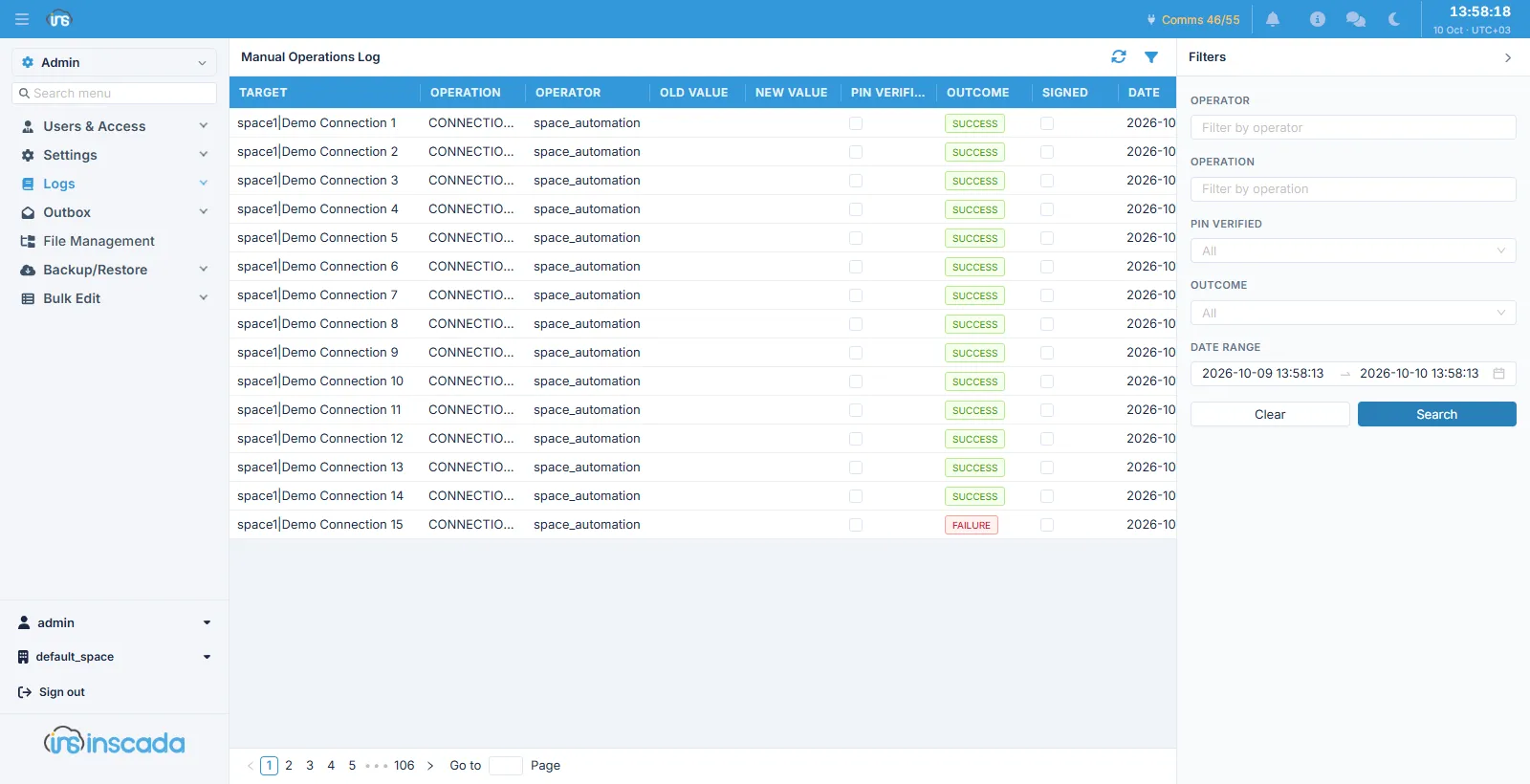
Columns
Section titled “Columns”| Column | Description |
|---|---|
| Target | The record the operation was performed on |
| Operation | What was done |
| Operator | Who did it |
| Old Value / New Value | The value before and after |
| Pin Verified | Whether the operation lock’s password was verified |
| Outcome | How it ended |
| Signed | Whether the row was signed electronically |
| Date | When |
The filter panel searches by operator, operation, pin verified, outcome and a date range.
Signature against PIN
Section titled “Signature against PIN”There are two separate columns and they answer different questions:
| Pin Verified | Signed | |
|---|---|---|
| Whose password | The operation lock’s shared password | The person’s own account password |
| What it proves | That the writer knew the password | Who approved it |
A row can carry both. One with Pin Verified ticked and Signed unticked means “it was permitted, but who did it was not re-asserted”.
Detail: Operation Locks.
Related
Section titled “Related”- Operation Locks — the shared write password
- Config Log — record changes