
Login Page
This screen shapes the sign-in page users see.
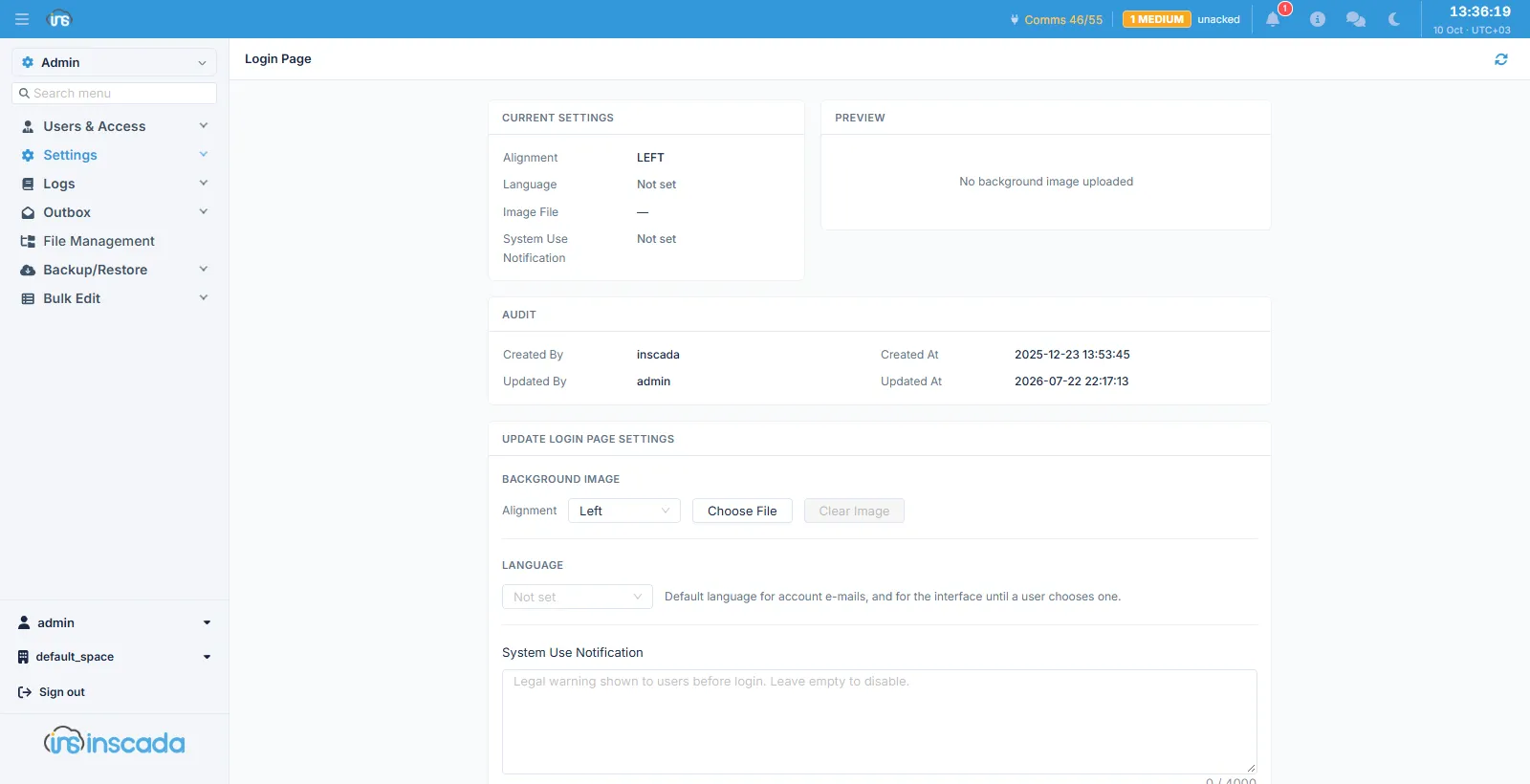
It is in three parts: Current Settings on the left, Preview on the right, and Update Login Page Settings below.
Background image
Section titled “Background image”| Field | Description |
|---|---|
| Alignment | Where the image sits (Left, …) |
| Choose File | The image to upload |
| Clear Image | Removes an uploaded image — enabled only while one exists |
Preview shows the uploaded image, or “No background image uploaded” when there is none.
Default language
Section titled “Default language”Language applies in two places:
- the language of account e-mail — the password setup link, resets, activation;
- the language of the interface, until a user picks one of their own.
System use notification
Section titled “System use notification”System Use Notification is the legal warning shown to a user before sign-in. Up to 4000 characters; leaving it empty turns the notice off.
A warning of this kind — stating that unauthorised access is monitored and recorded — is required by many regulations and corporate policies.
Related
Section titled “Related”- Logo Settings — the logo in the interface
- IP Filter — restricting sign-in by address