
Pipe, Tooltip and Image
Three types doing three separate jobs: Pipe gives the impression of flow along a line, Tooltip shows information on hover, and Image swaps the picture according to the value.
Shows flow as dashes travelling along a line or pipe. Whether there is flow, which way it goes and how fast are all driven by the value.
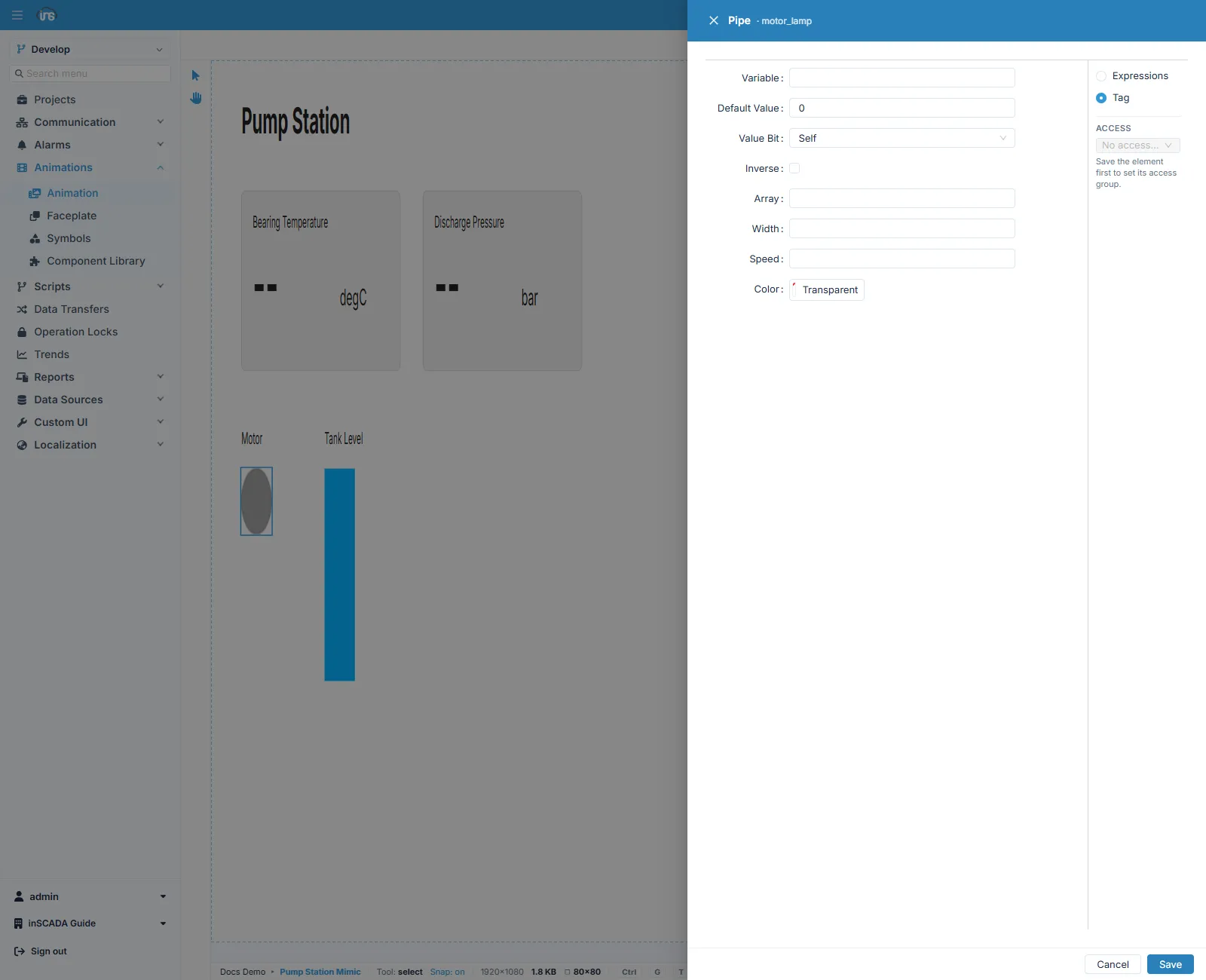
| Field | Description |
|---|---|
| Variable | The variable to read |
| Default Value | The value used when it cannot be read |
| Value Bit | Self takes the whole value; choosing a bit index reads only that bit out of the word |
| Inverse | Reverses the direction of flow |
| Array | The length of the dash pattern |
| Width | Line thickness |
| Speed | How fast the flow moves |
| Color | The colour of the flow |
The value is read as true or false: there is flow, or there is not. Binding a pump’s running state to a pipe is the most common use.
Inverse lets you reverse the direction without changing the drawing. Where a line is used both ways — filling and emptying — driving the direction from the value beats drawing two pipes.
Tooltip
Section titled “Tooltip”Shows an information balloon when the pointer rests on the object. It is how you give detail without crowding the screen: a measurement that will not fit beside the symbol, an equipment tag, a last-maintenance date.
| Field | Description |
|---|---|
| Variable | The variable to read |
| Default Value | What to show when it cannot be read |
| Value Bit | The whole value, or a single bit of it |
| Title | The balloon’s title |
| Text | The balloon’s content |
| Size | The balloon’s size |
| Delay | How long the pointer must rest before it appears |
| Color | The balloon’s colour |
Delay is small but worth setting: without it, balloons open and close constantly as the operator moves across the screen.
Changes the picture shown according to the value. It takes the name of a file uploaded to the platform and displays that file.
It can be used to switch between several states of a symbol — though Symbols or GetSymbol usually suit that better. Image earns its place for artwork you have uploaded: a photograph, a logo, a scanned schematic.
It is offered on rect alone.
What each binds to
Section titled “What each binds to”| Type | Object |
|---|---|
| Pipe | Any object |
| Tooltip | Any object |
| Image | rect only |
Related
Section titled “Related”- Element Editor — the fields every binding form shares
- Symbols — showing a symbol per state
- Color — saying it with colour instead