
Secure Access VPN
inSCADA Secure Access is a VPN solution that provides secure remote access to your industrial facilities from anywhere. It uses the WireGuard protocol for encrypted, fast, and reliable connections. Connect with a single click using the Windows desktop application — no complex VPN configurations needed.
Features
Section titled “Features”- WireGuard VPN — Low latency, high performance. Much faster than traditional VPN solutions
- One-click setup — Paste your token, connect. No complex configuration needed
- Custom access address — Dedicated subdomain for each customer:
yourcompany.inscada.online - Connection monitoring — View status, uptime, and transfer data in real time
- Auto-reconnect — Automatically reconnects when the connection drops
- Start with Windows — VPN connection ready when your computer starts
Getting Started
Section titled “Getting Started”1. Select a Plan
Section titled “1. Select a Plan”Choose a Basic or Pro plan at vpn.inscada.online. Your VPN infrastructure is automatically provisioned after payment.
2. Download the Application
Section titled “2. Download the Application”Download and install inSCADA Secure Access from inscada.com/download.
Requirements: Windows 10/11
3. Activation
Section titled “3. Activation”Open the application and paste the activation token sent to you, then click Activate. Your VPN configuration is loaded automatically.
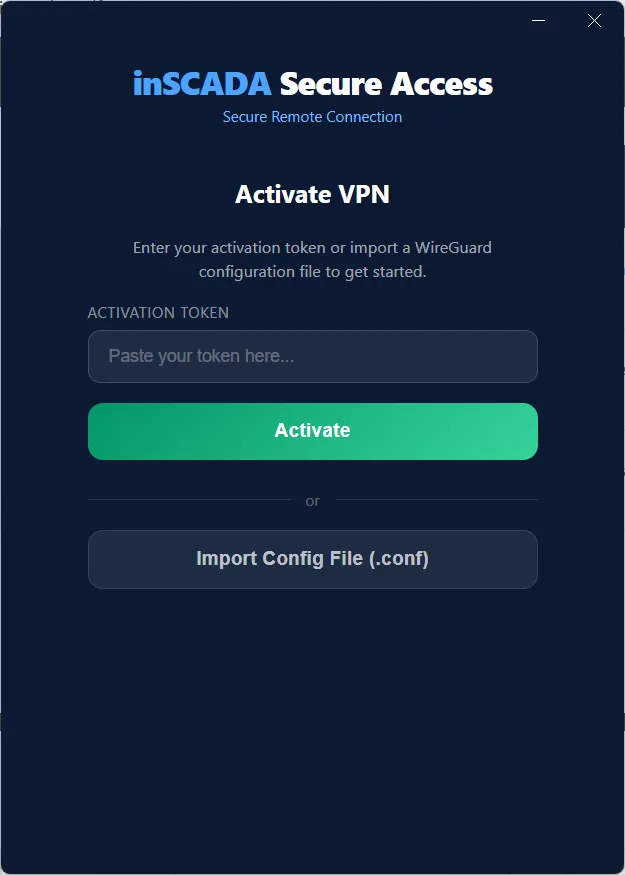
Alternatively, you can import a WireGuard .conf file using the Import Config File button.
4. Connect
Section titled “4. Connect”Click the Connect button. Securely access your facility at yourcompany.inscada.online.
Application Interface
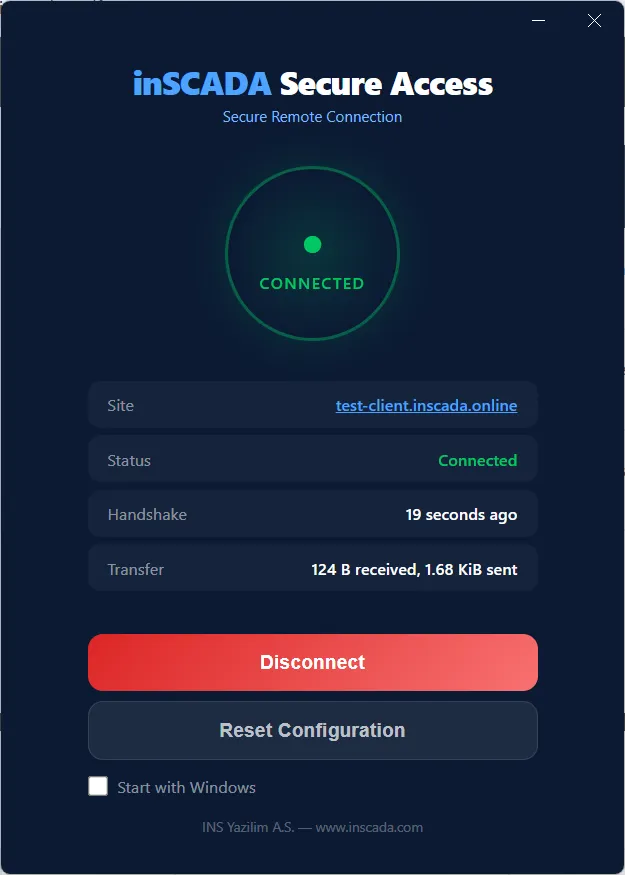
Section titled “Application Interface”The application operates in three main states:
| State | Description |
|---|---|
| Disconnected | VPN connection is off. Click Connect to establish connection |
| Connecting | Connection is being established |
| Connected | VPN is active. Site address, handshake time, and transfer data are visible |
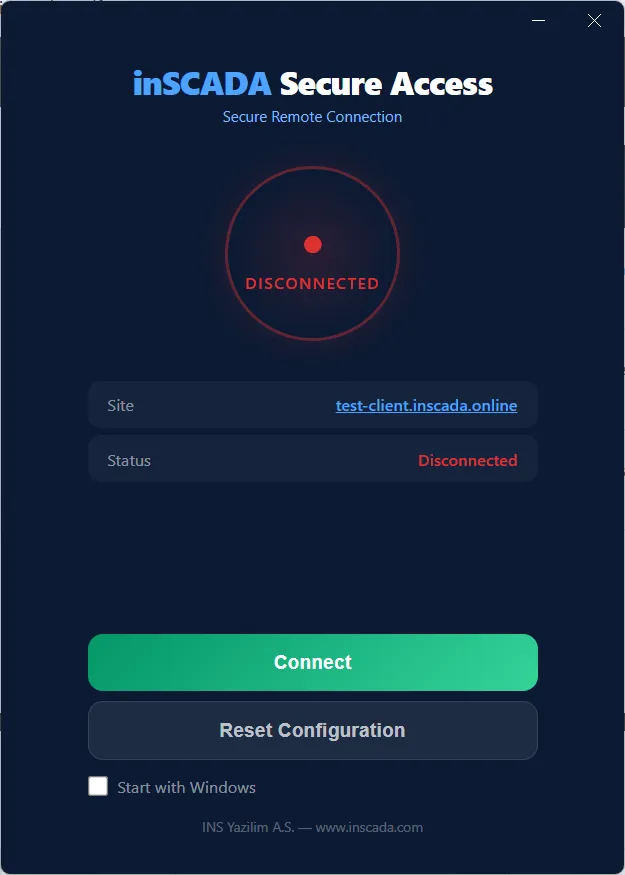
When connected, the following information is displayed:
- Site — Your facility’s access address (e.g.
test-client.inscada.online) - Status — Connection status
- Handshake — Time since last successful handshake
- Transfer — Amount of data sent and received
Additional Features
Section titled “Additional Features”- Start with Windows — Check this option to launch the application automatically with Windows
- Reset Configuration — Resets the current VPN configuration. Requires re-activation
- System tray — The application continues running in the system tray when closed
Use Cases
Section titled “Use Cases”- SCADA maintenance & updates — Update your SCADA software remotely, change parameters without visiting the site
- Emergency response — Connect to your facility from home when an alarm notification arrives and diagnose the issue instantly
- Remote site monitoring — Monitor geographically distributed facilities from a single point
- Multi-site management — Manage all your facilities from a single panel
Comparison with Traditional Solutions
Section titled “Comparison with Traditional Solutions”| Criteria | inSCADA Secure Access | Traditional VPN |
|---|---|---|
| Setup time | Minutes | Hours/Days |
| Custom access address | yourcompany.inscada.online | Access via IP address |
| Connection performance | WireGuard (low latency) | OpenVPN/IPSec (high latency) |
| Auto-reconnect | Yes | Usually not available |
| Management panel | Web-based admin panel | Command line / manual |
Security
Section titled “Security”- All traffic is end-to-end encrypted with WireGuard
- VPN configuration is stored securely on the local machine
- Separate key pairs are generated for each site
- Activation tokens are single-use
Support
Section titled “Support”Contact us at inscada.com/contact or create a support ticket from the vpn.inscada.online admin panel.