
Data Transfers
A Data Transfer periodically writes the value of one variable into another. It can copy the live value straight across, or first compute a statistic from the source’s logged history — an hourly counter difference, yesterday’s average, a monthly maximum.
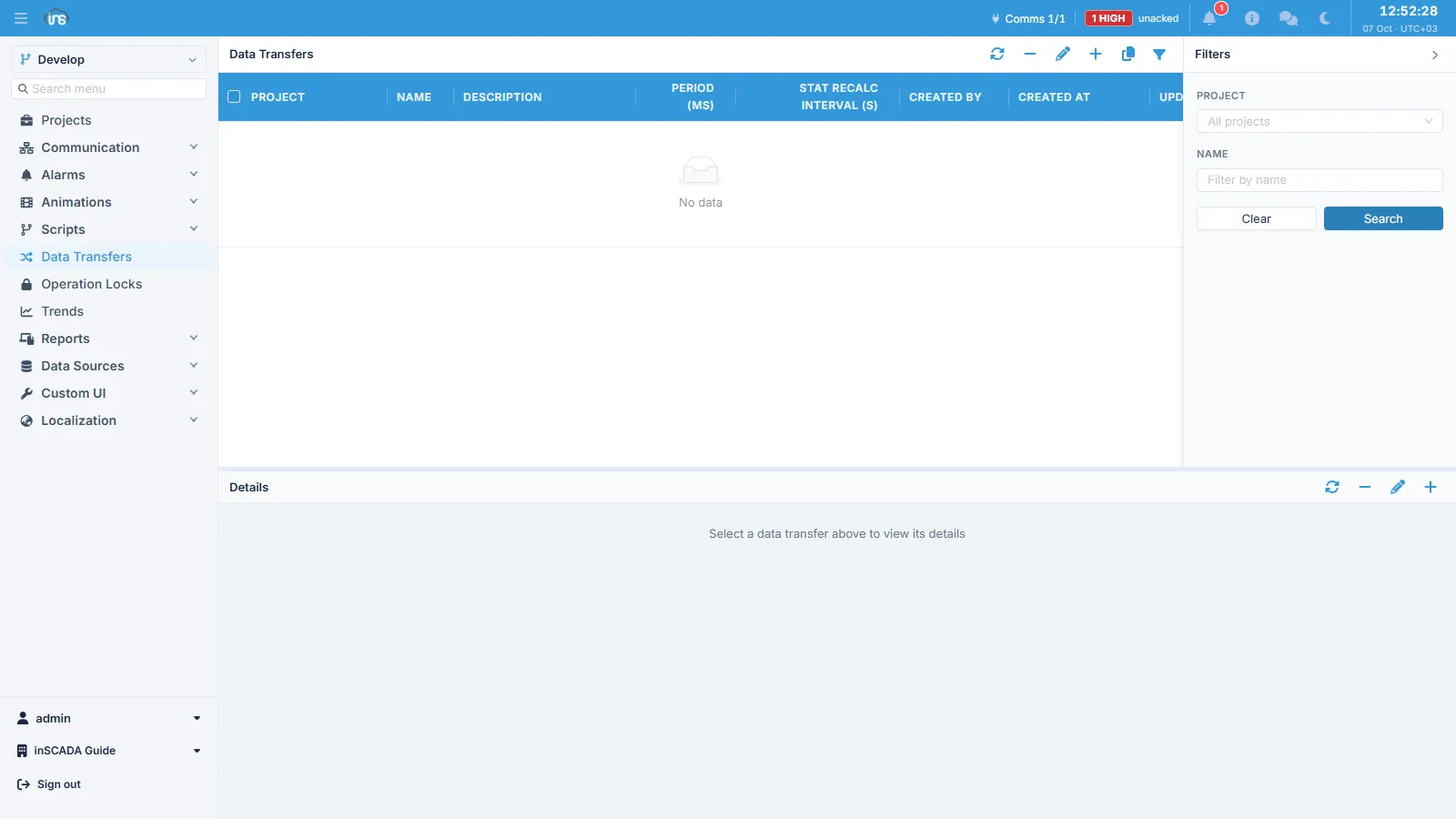
The screen is a master/detail pair: a transfer at the top, its rows underneath. The transfer carries the schedule; the rows carry what is copied.
The two kinds of row
Section titled “The two kinds of row”This is the distinction everything else follows from. A row is statistical only when both calcType and rangeType are set. If either is empty, the row is a plain copy.
| Current-value row | Statistical row | |
|---|---|---|
| Set | calcType and rangeType both empty | calcType and rangeType both set |
| Reads | The source’s live value | The source’s logged history over the range |
| Needs logging on the source | No | Yes |
| Runs | Every period | On its own recalculation interval (see below) |
A live mirror is therefore a row with the calculation fields left empty — not Last Value over Current Hour. The empty row reads the value that is already in memory; the statistical one queries the historian, which is far more work for the same number.
Transfer fields
Section titled “Transfer fields”| Field | Type | Required | Description |
|---|---|---|---|
| name | String (≤100) | Yes | Transfer name |
| dsc | String (≤255) | No | Description |
| period | Integer (ms, ≥100) | Yes | How often the transfer runs |
| statRecalcIntervalSeconds | Integer (s, ≥10) | No | Overrides the recalculation interval of this transfer’s Current * rows |
| projectId | String | Yes | Owning project |
period is the floor every repeating thing in the product shares: 100 ms.
Row fields
Section titled “Row fields”| Field | Description |
|---|---|
| sourceVariableId | The variable read |
| targetVariableId | The variable written |
| calcType | Statistical calculation (VariableStatCalculationType) |
| rangeType | Time range (VariableStatRangeType) |
| threshold | Write filter, as a percentage of the source value |
| deadband | Write filter, as an absolute difference |
Threshold and deadband
Section titled “Threshold and deadband”Both compare the value about to be written against what the target already holds, and suppress the write when the change is too small to be worth recording. Both are optional; with neither set, every run writes.
- deadband is absolute: if
|target − source|is smaller than it, the write is skipped. - threshold is a percentage: the write happens when
|target − source| / |source| × 100reaches it. When the source is0, the write happens only if the target is not already0. deadbandis checked first, so an absolute floor still suppresses noise around a near-zero source, where a percentage would otherwise let everything through.
They apply only when both values are numeric. A non-numeric value, or a target with no value yet, always writes.
Calculation types
Section titled “Calculation types”VariableStatCalculationType — 11 values:
| Type | Meaning |
|---|---|
| Min | Minimum over the range |
| Max | Maximum over the range |
| Avg | Arithmetic mean |
| Sum | Sum |
| Count | Sample count |
| First Value | First recorded value in the range |
| Last Value | Last recorded value in the range |
| Max Difference | Largest sample-to-sample delta |
| Last First Difference | last − first — the one for cumulative counters |
| Middle Value | Value at the temporal midpoint of the range |
| Median Value | Sorted median |
Range types
Section titled “Range types”VariableStatRangeType — 10 values, Current and Previous across five time scales:
| Type | Range |
|---|---|
| Current Hour | Top of the hour → now |
| Previous Hour | The whole previous hour |
| Current Day | Midnight → now |
| Previous Day | The whole previous day |
| Current Week | Week start → now |
| Previous Week | The whole previous week |
| Current Month | Month start → now |
| Previous Month | The whole previous month |
| Current Year | Year start → now |
| Previous Year | The whole previous year |
Three things decide where those boundaries actually fall:
- The server’s time zone. Ranges are cut in the server’s own zone, not the viewer’s.
- The server’s locale sets which day a week starts on.
- “Now” is the last complete minute, not the current instant — a
Current *range stops there so it never asks the historian for samples that have not been flushed yet.
How often a statistic is really computed
Section titled “How often a statistic is really computed”A statistical row does not query the historian on every period. Results are cached, and the transfer re-applies the cached value in between.
- A
Previous *range closes and never changes again, so it is computed once per period and then served from cache until the cache entry expires. - A
Current *range is recomputed on an interval of its own:
| Range | Default recalculation interval |
|---|---|
| Current Hour | 60 s |
| Current Day | 5 min |
| Current Week | 30 min |
| Current Month, Current Year | 1 h |
statRecalcIntervalSeconds on the transfer replaces all of those with one value (minimum 10 s).
The practical consequence: period is not how often a statistic is calculated. A short period makes the transfer re-apply its latest result often — useful when the target feeds a screen and you want the write filter evaluated frequently — but it does not make the number any fresher. To compute more often, lower statRecalcIntervalSeconds, not period.
Current-value rows have no cache and do read the source on every period.
Scheduling and lifecycle
Section titled “Scheduling and lifecycle”A transfer does nothing until it is scheduled. Status is one of two values, Scheduled or Not Scheduled, and Scheduled means attached to the scheduler, not running right now.
- The project must be active; scheduling one in a passive project is refused.
- Deactivating a project cancels its transfers.
- In a cluster, transfers run on the leader only. Requests taken by another node are forwarded to it, and if leadership moves, the new leader restores the schedule — so a scheduled transfer survives restart and failover.
- Scheduled transfers appear in Job Monitor under the Data Transfer kind.
When a run fails
Section titled “When a run fails”A failing transfer writes one line to the server log and one to the project log, naming the cause — not one per run. Further runs failing for the same cause stay quiet; a failure with a different cause is reported as the new fault it is. The first run that succeeds afterwards logs a recovery line saying how many runs failed meanwhile, so silence never has to be read as “fixed”.
One refusal is worth knowing in advance: if a target variable carries an Operation Lock, the whole batch is refused and none of the transfer’s rows are written that run. A transfer cannot supply the lock’s password, so there is no remedy except removing the lock or the row.
Examples
Section titled “Examples”Hourly consumption from a cumulative meter
Section titled “Hourly consumption from a cumulative meter”- Source:
Energy_kWh(cumulative, logged) - Target:
Hourly_Consumption - calcType Last First Difference, rangeType Previous Hour
- period: 60 000 ms
The range closes at the top of each hour and is computed once; the short period only means the result lands promptly after the hour turns.
Yesterday’s average temperature
Section titled “Yesterday’s average temperature”- Source:
Temperature_C(logged) - Target:
DailyAvg_Temperature - calcType Avg, rangeType Previous Day
- period: 300 000 ms
Mirroring a site value into a central project
Section titled “Mirroring a site value into a central project”Put the transfer in the central project:
- Source: the site project’s
Site1_Power_kW - Target:
Site1_Power_kWin the central project - calcType and rangeType: left empty — this is a live copy
- deadband:
0.5so a quiet signal does not write every period - period: 10 000 ms
Scripting
Section titled “Scripting”// Attach to the scheduler, and cancelins.scheduleDataTransfer("hourly_energy_calc");ins.cancelDataTransfer("hourly_energy_calc");
// "Scheduled" or "Not Scheduled"var status = ins.getDataTransferStatus("hourly_energy_calc");
// Every transfer of the calling project, keyed by namevar all = ins.getDataTransferStatusesByProject();Scheduling requires the SCHEDULE_DATA_TRANSFER permission and is recorded as an operator action in the audit log.
Details: Data Transfer API →