
HTML Editor
The HTML Editor is where you write Custom HTML pages inside the platform. The page’s three fields sit in three panels, all on one screen.
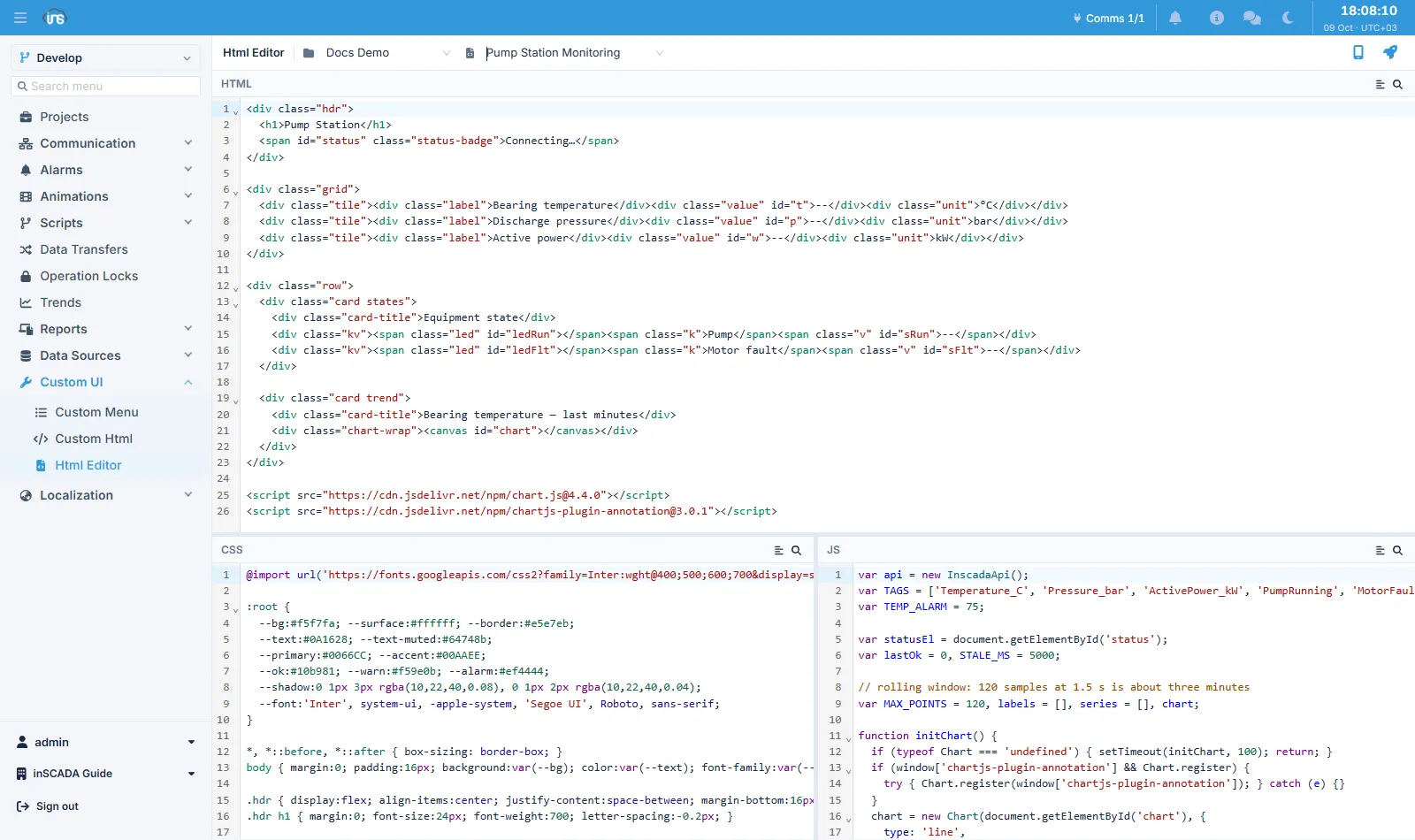
The layout
Section titled “The layout”Two selectors sit at the top: first the project, then the HTML page within it. The panels stay empty until a page is chosen.
| Panel | What is in it |
|---|---|
| HTML (top, full width) | The page’s markup |
| CSS (bottom left) | Styling |
| JS (bottom right) | The page’s code |
The splitters between the panels can be dragged: a horizontal one between HTML and the lower half, and a vertical one between CSS and JS. Widening the JS panel helps when you are working through a long script.
Each panel has its own search, and all three colour the code by the language they hold.
Preview — and saving
Section titled “Preview — and saving”Two preview buttons sit at the top right: one for the normal view, one for the mobile one.
The preview opens the page as it is actually published — not an approximation rendered in the browser, but the same frame an operator sees at run time. So anything the content security policy refuses — a <script> block written into the HTML field, say — fails in the preview too, and you find out here.
Permission
Section titled “Permission”Writing depends on the UPDATE_CUSTOM_HTML permission. A user without it can open a page and read it, but the preview buttons — and therefore saving — are unavailable.
Related
Section titled “Related”- Custom HTML — the page’s rules, reading data, and the limits
- Custom Menus — binding the page to a menu