
Users
This screen manages every account in the installation, regardless of which space they belong to. It is the platform-level counterpart of Space Users.
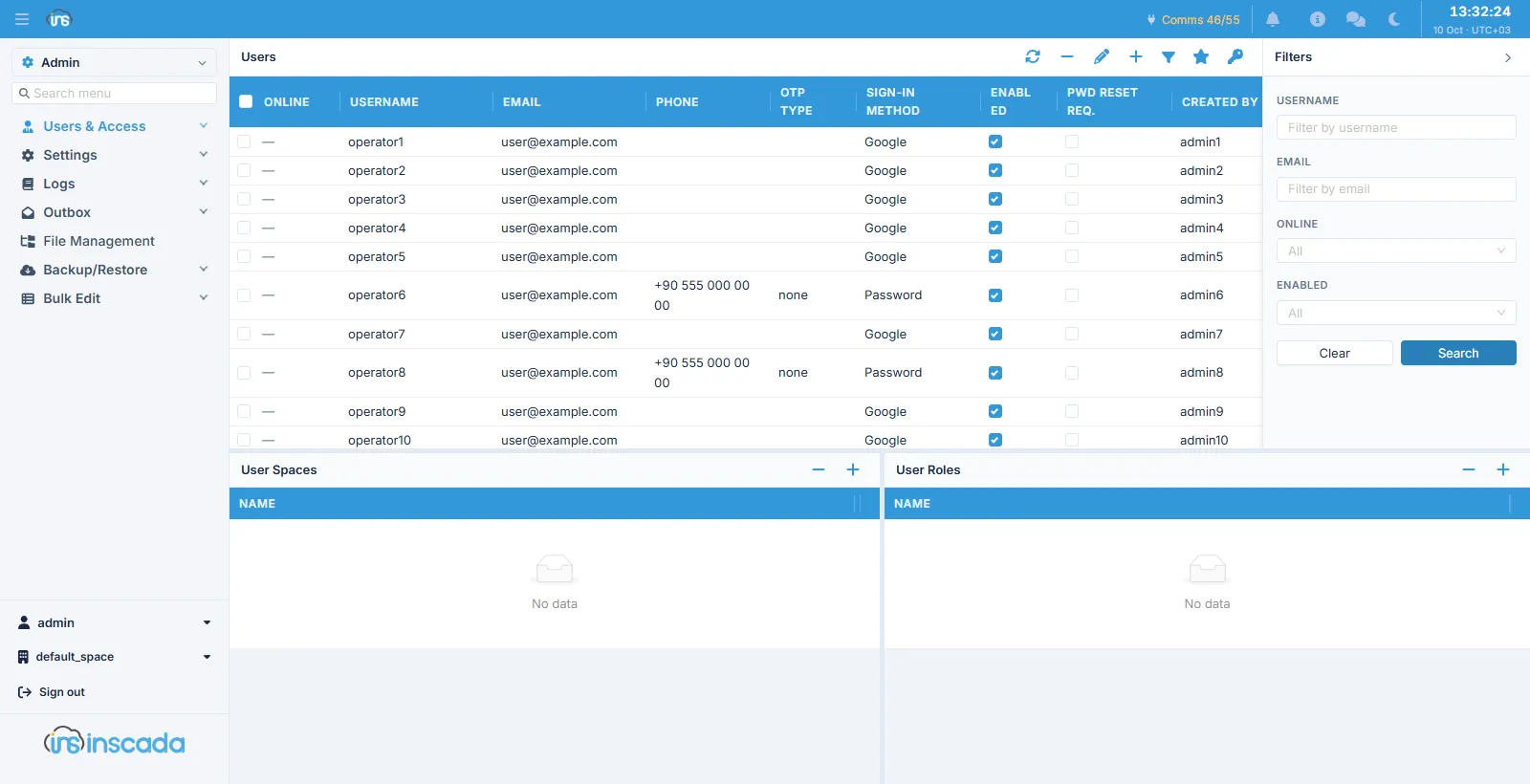
The account list sits at the top, with the selected account’s User Spaces and User Roles panels below.
Columns
Section titled “Columns”| Column | Description |
|---|---|
| Online | Whether the account currently has a session |
| Username | The sign-in name |
| Email / Phone | Contact details |
| OTP Type | The second-factor channel: none, sms, mail |
| Sign-in Method | How the account signs in — a local password, an identity provider, or both |
| Enabled | Whether the account is open |
| Pwd Reset Req. | Whether the user must change their password at the next sign-in |
| Created By | Who opened the account |
The filter panel searches by user name, e-mail, online and enabled state.
How the two screens differ
Section titled “How the two screens differ”| Users | Space Users | |
|---|---|---|
| Scope | The whole installation | Only the space you are in |
| Space membership | Granted here | The account is already a member |
| Default space | Assigned here | Not applicable |
| Roles | The account’s roles in every space | Only this space’s roles |
An account exists once at platform level; space membership is added on top of that identity. That is why you cannot give a user two different e-mail addresses in two spaces — there is only one identity.
Space membership
Section titled “Space membership”The User Spaces panel below shows which spaces the account may enter, and is where they are added and removed. A user can belong to several spaces, carrying that space’s roles in each.
The default space
Section titled “The default space”The star button in the toolbar assigns a default space to the selected user. That is the space that opens when they sign in; from there they can move to the others they belong to.
Resetting a password
Section titled “Resetting a password”The key button in the toolbar starts the password reset flow for the selected user. At no point does the administrator see or type the password.
Creating an account has no password field either: the platform issues a one-time setup link and the user sets their own at first sign-in. Detail: Space Users.
Related
Section titled “Related”- Spaces — the spaces themselves
- Space Users — management at space level
- Space Roles — roles and permissions