
SQL Query
A SQL query is one you write once and keep under a name. Rather than repeating the same query across several scripts and reports, it lives in one place, and changing it there updates all of them.
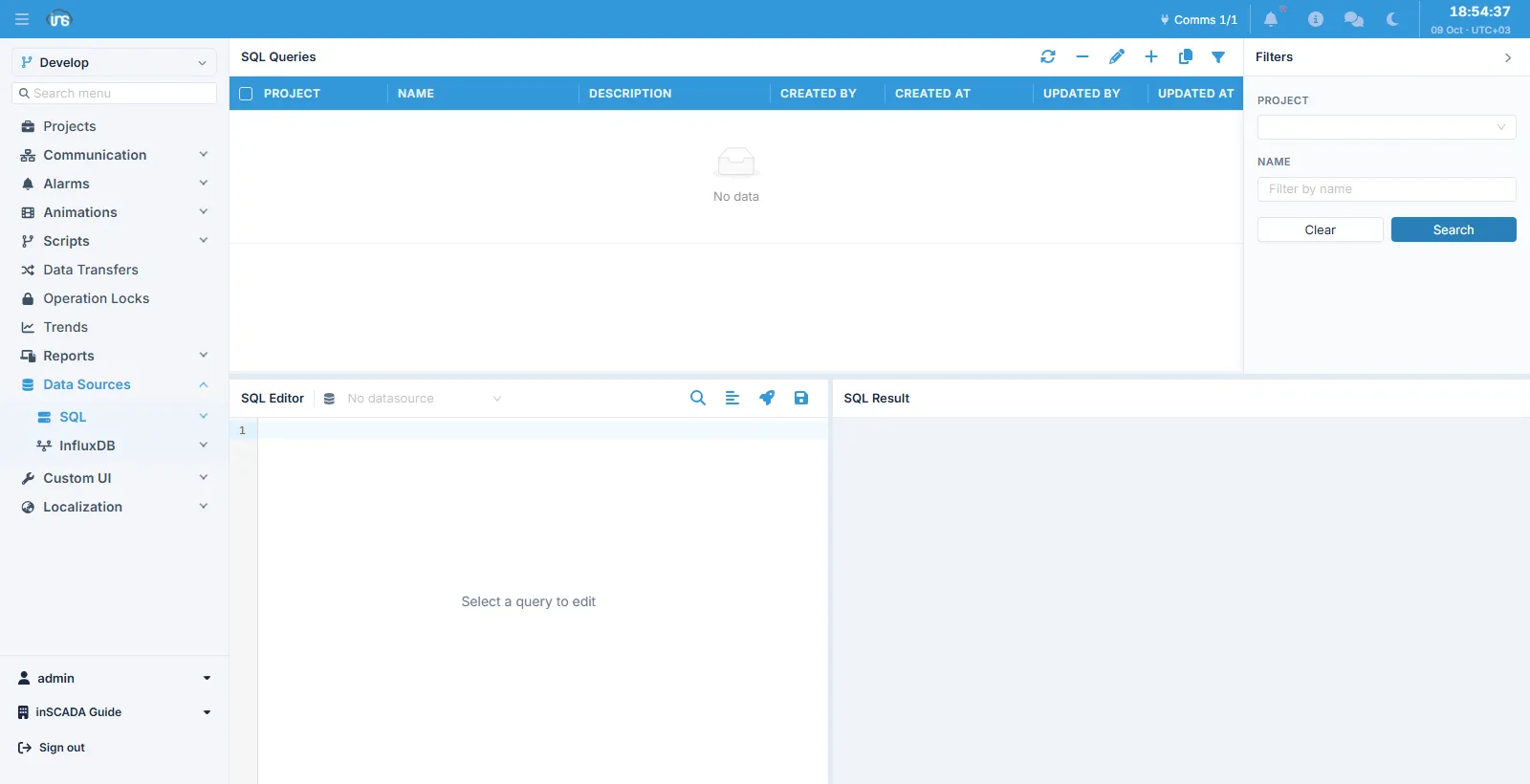
The screen is in two parts. The list of saved queries sits at the top, with columns for project, name, description and who created and updated the record and when. Below it are the SQL Editor and, beside it, the SQL Result panel.
Fields
Section titled “Fields”| Field | Description |
|---|---|
| Name | The query’s name; scripts call it by this |
| Description | Description |
| Query | The SQL text, up to 32,767 characters |
Like the other stored executable content, the query text carries an integrity stamp.
Editor and result
Section titled “Editor and result”Selecting a query from the list brings its text into the editor. The dropdown on the editor’s left picks which datasource the query runs against; the buttons on the right are search, format, run and save. The result appears in the panel beside it.
Running it here is not a rehearsal: the query really executes on the selected datasource. Running one requires the RUN_QUERY permission.
Calling it from a script
Section titled “Calling it from a script”To fetch a saved query’s text:
var sql = ins.getCustomSqlQuery('DailyProduction');var res = ins.runSql(sql); // the default datasourcevar res2 = ins.runSql('ProductionDB', sql); // a particular oneThe call returns the query’s text, not its result; you decide which datasource it runs against. That is what lets the same query run against more than one — a test database and a production one, say.
The shape of the result
Section titled “The shape of the result”What comes back is not the rows themselves but a set of results. A single-statement query has one result; a query that runs several statements in turn gives one result per statement.
var res = ins.runSql('SELECT id, name FROM product');
res.getSize();                  // how many resultsvar first = res.getResult(0);first.getType();                // "list" or "scalar"var rows = first.getRows();     // rows: objects keyed by column namerows[0].name;
A statement that returns rows comes back as type list and is read with getRows(); one that does not (INSERT, UPDATE, DELETE) is a scalar, and getResult() gives the number of rows affected.
The integrity stamp
Section titled “The integrity stamp”The text is checked against its stamp before it is handed to the script. The installation’s integrity mode decides what happens:
| Mode | Behaviour |
|---|---|
OFF | No check |
WARN | The mismatch is written to the project log and the text is handed over anyway |
ENFORCE | An error is raised and the script never sees the text |
The check happens as the text is handed to the script, not as the record is read. That is deliberate: a query whose stamp does not match stays visible on this screen, so you can see what it now says and put it back — even under ENFORCE, the one screen that can repair the record is not taken away from you.
Related
Section titled “Related”- SQL Datasource — the connection definition
- SQL Database — browsing the schema while writing a query
- InfluxDB Query — the time-series equivalent
- Script Engine —
ins.runSqland the other datasource methods