
License
This screen shows the installation’s licence and performs activation.
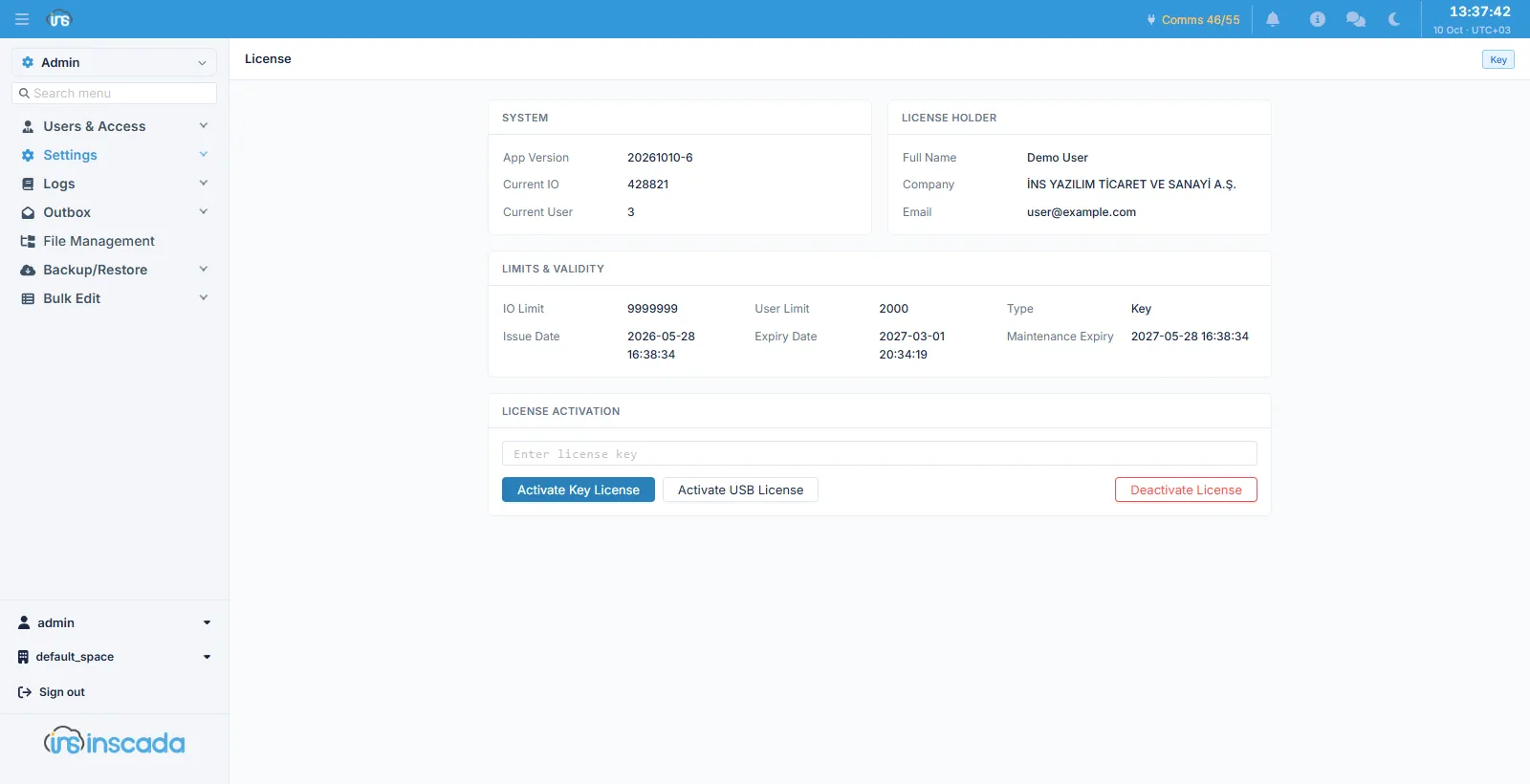
System
Section titled “System”| Field | Description |
|---|---|
| App Version | The running version |
| Current IO | The current I/O count |
| Current User | The current user count |
Licence holder
Section titled “Licence holder”| Field | Description |
|---|---|
| Full Name | The person the licence was issued to |
| Company | The organisation |
| The contact address |
Limits and validity
Section titled “Limits and validity”| Field | Description |
|---|---|
| IO Limit | The maximum I/O allowed |
| User Limit | The maximum users allowed |
| Type | The licence type (Key or USB) |
| Issue Date | When it was issued |
| Expiry Date | When the licence itself ends |
| Maintenance Expiry | When the right to updates ends |
Activation
Section titled “Activation”| Button | What it does |
|---|---|
| Activate Key License | Activates with the licence key typed into the field |
| Activate USB License | Activates with the USB dongle plugged in |
| Deactivate License | Removes the licence |
Related
Section titled “Related”- Quota Policies — the per-record-type limits