
Get
Get is the type that writes a value on the screen as text. A numeric readout, a status message, a label — anything that shows text is built with it.
It is offered on text and tspan objects alone; you cannot write text into a circle or a rectangle.
Three modes
Section titled “Three modes”Opening the form shows three modes at the top right. Which one you pick decides how the value is arrived at.
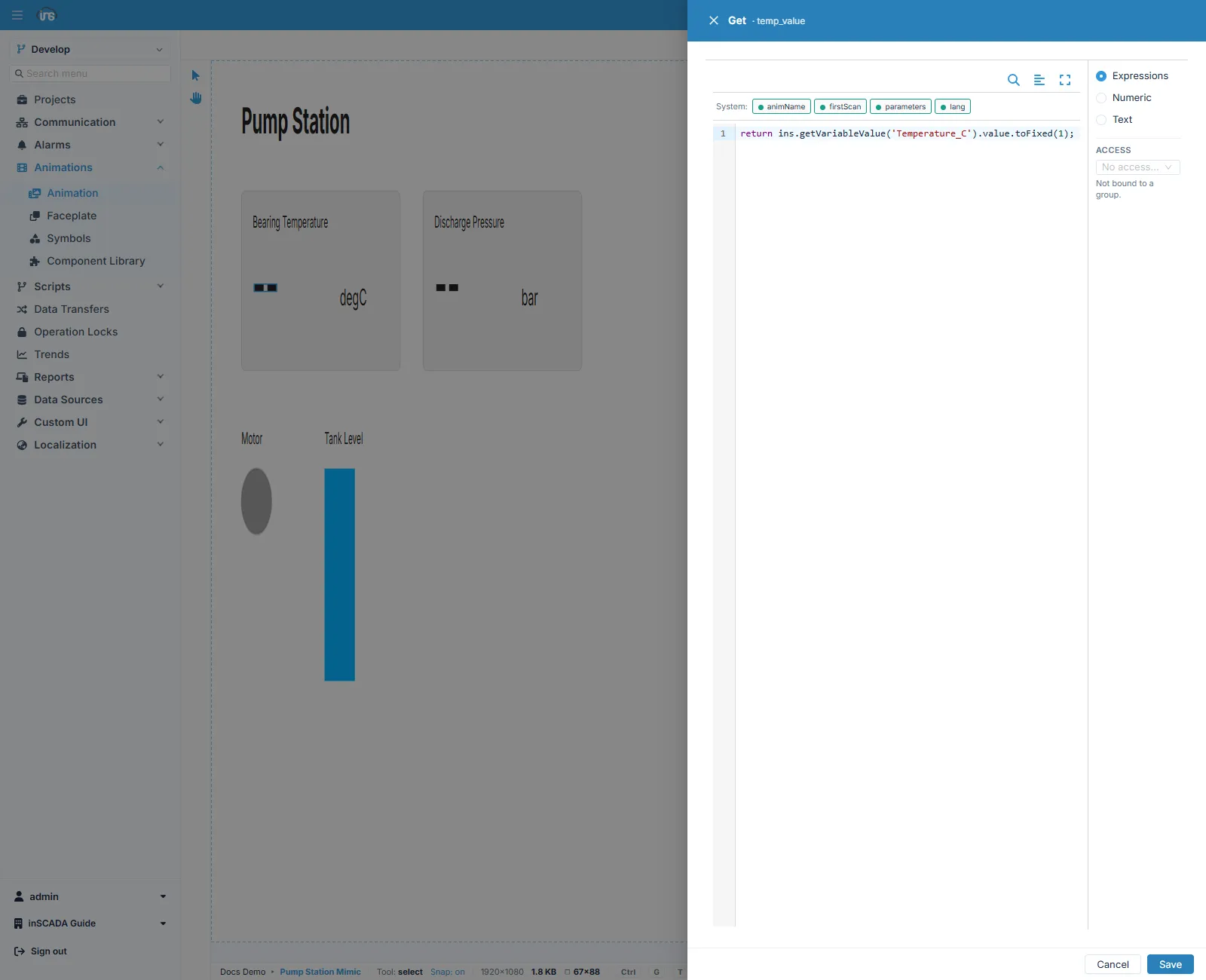
| Mode | When |
|---|---|
| Expressions | You compute the value by writing code |
| Numeric | You format a numeric value without writing code |
| Text | You display a text value |
In Expressions mode the editor shows System chips above the code: ready-made bindings you can reach from inside the expression — the animation’s name, whether this is the first scan, the screen’s parameters, and the active language.
Numeric mode
Section titled “Numeric mode”Most readouts need no code. Numeric mode takes everything from the form, from reading the number to formatting it.
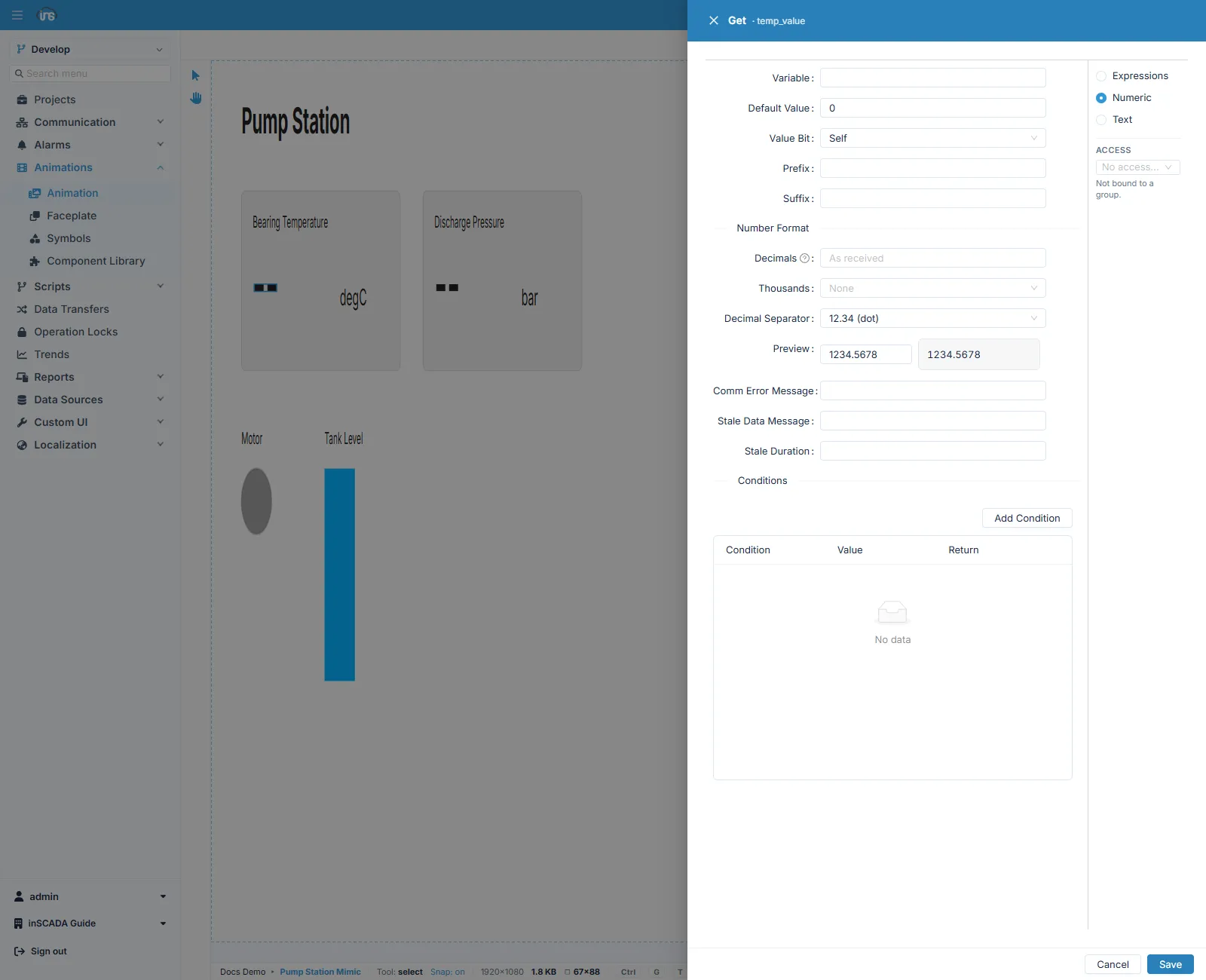
| Field | Description |
|---|---|
| Variable | The variable to read |
| Default Value | What to show when the value cannot be read |
| Value Bit | Self takes the whole value; choosing a bit index reads only that bit out of the word |
| Prefix · Suffix | Text put before and after the value — the usual way to write a unit |
Number format
Section titled “Number format”| Field | Description |
|---|---|
| Decimals | How many decimal places. Left empty, the value is written as received |
| Thousands | The thousands separator |
| Decimal Separator | The decimal separator — dot or comma |
| Preview | How your format renders on a sample number, as you set it |
Preview is a small but useful detail on this form: it shows how the number will look there and then, without saving the format and running the screen.
When communication is lost
Section titled “When communication is lost”Three fields decide what is shown when the data cannot be trusted:
| Field | When it applies |
|---|---|
| Comm Error Message | The variable’s connection has stopped bringing data |
| Stale Data Message | The value has not been refreshed for the given period |
| Stale Duration | How long before a value counts as stale |
Conditions
Section titled “Conditions”The Conditions section lets you write different text according to the value, without code. Each row is a comparison, a value, and the text to return.
| Condition | Value | Return |
|---|---|---|
< | 10 | Low |
> | 80 | High |
If no condition matches, the number is written in its normal format.
Access control
Section titled “Access control”ACCESS sits at the lower right of the form. Bind the element to an access group and it is not shown to a user outside that group. By default a binding belongs to no group and is visible to everyone.
Related
Section titled “Related”- Element Editor — the fields every binding form shares
- Color — colour driven by the value
- Animation — building the screen