
Opacity and Blink
Both tell the story through visibility: Opacity sets how transparent an object is from the value, and Blink makes it flash.
Both are available on any SVG object, and both have Expressions and Tag modes.
Opacity
Section titled “Opacity”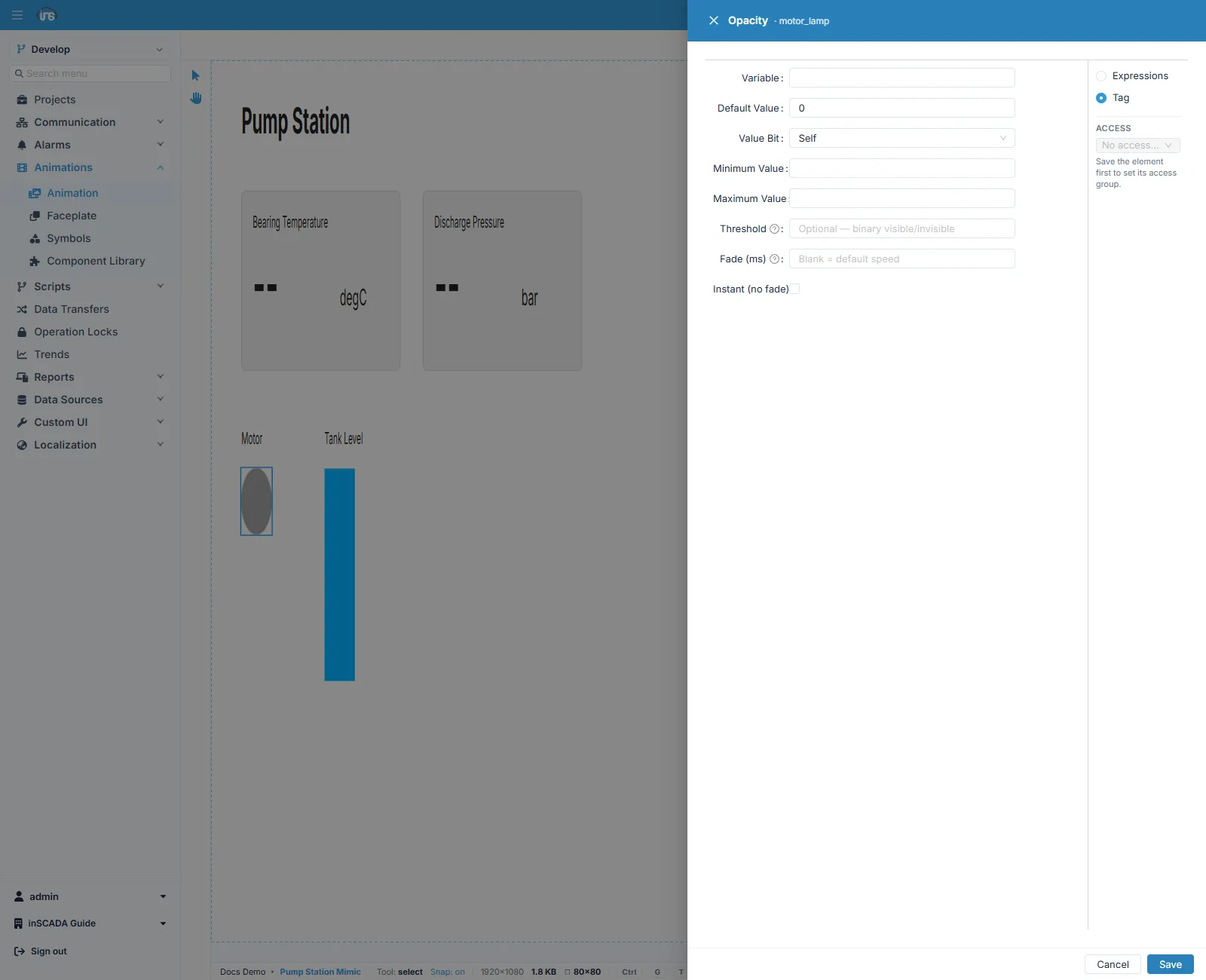
| Field | Description |
|---|---|
| Variable | The variable to read |
| Default Value | The value used when it cannot be read |
| Value Bit | Self takes the whole value; choosing a bit index reads only that bit out of the word |
| Minimum Value · Maximum Value | The values the ends of the opacity range correspond to |
| Threshold | Filled in, it switches to binary mode |
| Fade (ms) | How long the transition takes. Left blank, the animation’s default speed is used |
| Instant (no fade) | Ticked, the object snaps to the target opacity |
Two separate behaviours
Section titled “Two separate behaviours”The form does two different jobs with one type, and Threshold is what decides which applies.
Opacity that varies continuously. Threshold is left blank. The value is proportioned between Minimum Value and Maximum Value and the object takes that opacity. It suits showing an intensity or a density by degree.
Show and hide. Threshold is filled in. Minimum/Maximum Value are then ignored: at or above the threshold the object is fully visible, below it the object is hidden. Add Instant and the change happens with no fade — which is the right behaviour where a warning symbol should appear and disappear.
| Field | Description |
|---|---|
| Variable | The variable to read |
| Default Value | The value used when it cannot be read |
| Value Bit | The whole value, or a single bit of it |
| Duration | The blink period |
Blink alternates the object between visible and hidden at Duration. Its use is narrow but clear: a condition the operator must not miss and has not yet acknowledged.
Which to use
Section titled “Which to use”| What you want | How |
|---|---|
| Opacity by degree | Opacity, Threshold blank |
| Show or hide on a condition | Opacity with Threshold and Instant |
| To draw attention to an unacknowledged alarm | Blink |
| To mark a standing condition | Color |
Related
Section titled “Related”- Element Editor — the fields every binding form shares
- Color — showing state through colour