
Space Users
This screen manages the users of the space you are currently in. You open an account here, give it a role, and reset its password when needed.
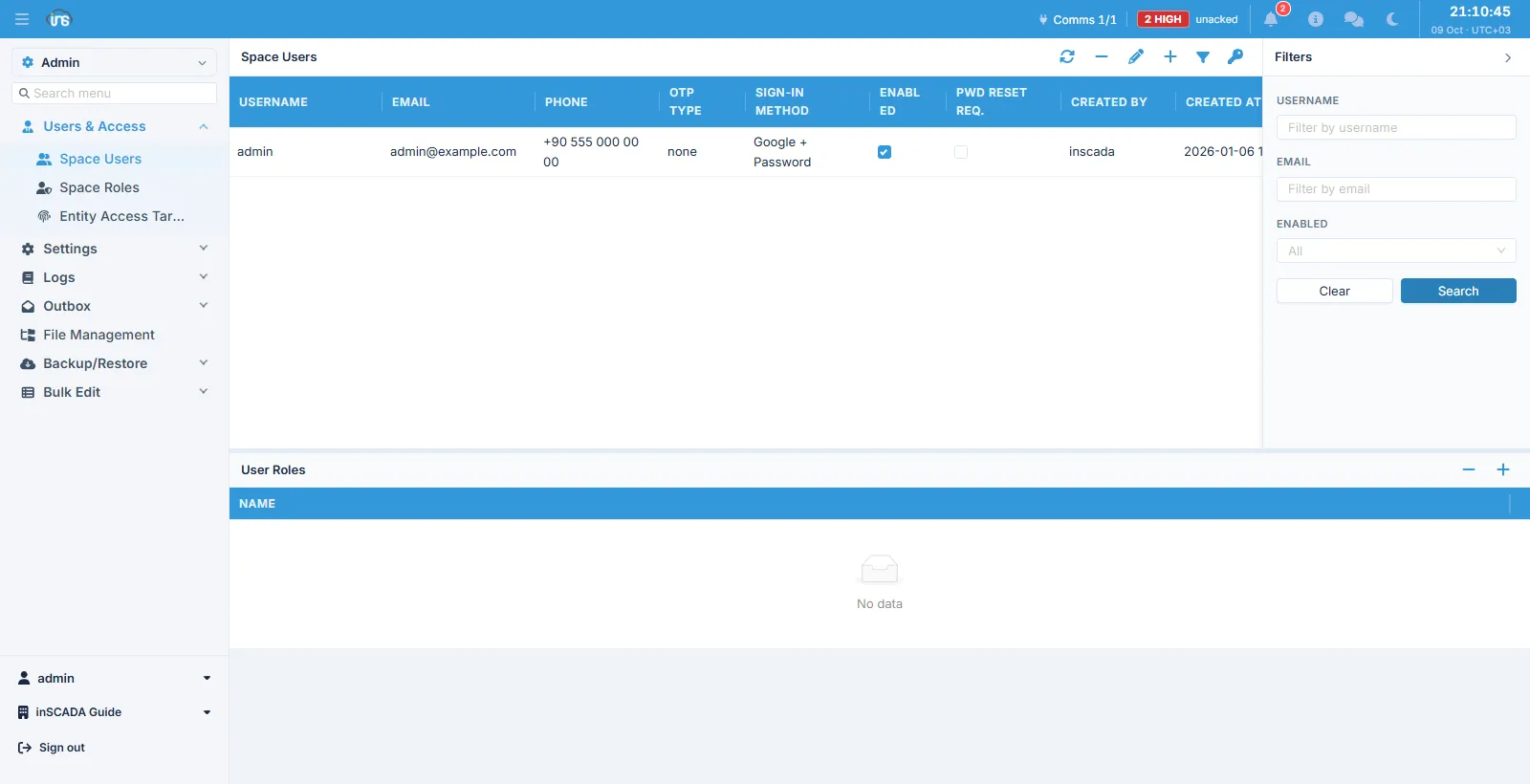
The user list sits at the top and the selected user’s User Roles panel below it. The toolbar holds refresh, delete, edit, add, filter and a key (reset password).
Columns
Section titled “Columns”| Column | Description |
|---|---|
| Username | The sign-in name |
| E-mail address | |
| Phone | Phone number |
| OTP Type | The second-factor channel: none, sms or mail |
| Sign-in Method | How the account signs in (a local password, an identity provider, or both) |
| Enabled | Whether the account is open |
| Pwd Reset Req. | Whether the user must change their password at the next sign-in |
Creating a user
Section titled “Creating a user”A new user has no password field. The account is opened without one and the platform issues a one-time password setup link.
| Field | Required | Description |
|---|---|---|
| Username | Yes | Max 50 characters. Cannot be changed afterwards |
| Yes | Max 320 characters | |
| Phone | No | Max 15 characters |
| OTP Type | No | none / sms / mail |
| Enabled | No | On by default |
A new account carries the requirePasswordReset mark, so the user sets their own password at first sign-in.
When someone else wrote the address
Section titled “When someone else wrote the address”When an account’s e-mail or phone is changed by somebody other than its holder, the platform records that separately, and until the holder confirms it:
- nothing carrying account access is mailed to the address — password reset, account activation and initial setup links included;
- a sign-in to an account whose OTP channel is
smsis refused rather than answered by sending the code to an unconfirmed number.
This mark is distinct from the verification flag, which answers “does this address belong to this account”. An old account whose address was never verified and an account whose address a third party changed a second ago are not the same thing, and that is why they are kept apart.
Resetting a password
Section titled “Resetting a password”The key button in the toolbar starts the password reset flow for the selected user. At no point does the administrator see or type the password.
The User Roles panel below shows the user’s roles in this space. A user may hold several; their permissions combine. Roles belong to a space, so this panel lists only this space’s roles.
Related
Section titled “Related”- Space Roles — roles, permissions and menus
- Users & Access — the model as a whole