
Project Management
A project is the fundamental organizational unit in inSCADA. It represents a facility, site, or logical unit. All connections, variables, alarms, scripts, and screens are bound to a project.
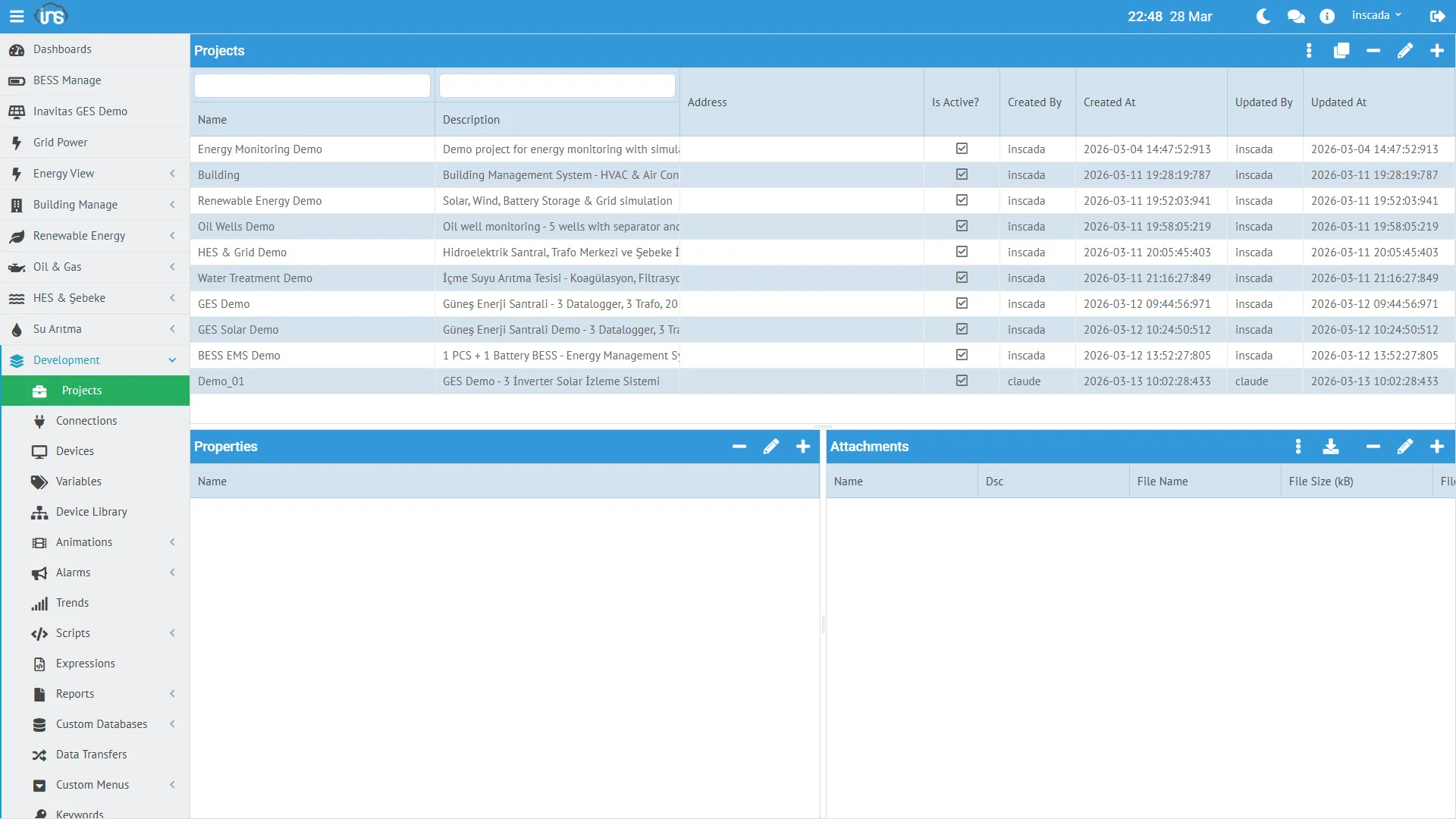
Project Fields
Section titled “Project Fields”| Field | Type | Required | Description |
|---|---|---|---|
| name | String (≤100) | Yes | Project name — unique within the space, immutable after creation |
| dsc | String (≤255) | No | Description |
| isActive | Boolean | Yes | Active / inactive flag |
| address | String (≤255) | No | Plant address (free text) |
| latitude | Double | No | GIS map latitude |
| longitude | Double | No | GIS map longitude |
| iconFileId | String | No | Project icon (from the managed file system) |
| properties | String (JSON, ≤32 767) | No | Free-form extension field — JSON string |
Project Status
Section titled “Project Status”GET /api/projects/{id}/status (and the UI status panel) returns the operational status of every component under the project:
{ "connectionStatuses": { "conn-id-1": "Connected" }, "scriptStatuses": { "script-id-1": "Scheduled", "script-id-2": "Not Scheduled" }, "dataTransferStatuses":{ "dt-id-1": "Scheduled" }, "reportStatuses": { "rep-id-1": "Not Scheduled" }, "alarmGroupStatuses": { "ag-id-1": "Active" }}Status Values
Section titled “Status Values”| Component | Enum | Possible Values |
|---|---|---|
| Connection | ConnectionStatus | Connected, Disconnected |
| Script | ScriptStatus | Scheduled, Not Scheduled |
| Data Transfer | DataTransferStatus | Scheduled, Not Scheduled |
| Report | ReportStatus | Scheduled, Not Scheduled |
| Alarm Group | AlarmStatus | Active, Not Active |
Project Structure
Section titled “Project Structure”Components added inside a project:
Project: "Energy Monitoring Demo"├── Connection: LOCAL-Energy (LOCAL protocol)│ └── Device: Energy-Device│ └── Frame: Energy-Frame│ ├── Variable: ActivePower_kW│ ├── Variable: Voltage_V│ ├── Variable: Current_A│ └── ... (10 variables)├── Script: Chart_ActiveReactivePower├── Script: Test_LoggedValues├── Animation: (SVG screens)├── Trend: (trend definitions)├── Alarm Group: (alarm definitions)└── Report: (report definitions)Space-level components (Dashboard, Custom Menu, Expression, Symbol) are not part of a project — they are shared across every project in the same space.
Project Map
Section titled “Project Map”If latitude / longitude are set, projects appear on the Project Map view:
| Field | Example |
|---|---|
| latitude | 37.9 |
| longitude | 32.5 |
Clicking a marker opens a popup with live status (connection health, active alarms).
Scripting Projects
Section titled “Scripting Projects”Server-side scripts interact with projects through the ins.* API:
// Get every project in the spacevar projects = ins.getProjects();
// Only active projectsvar activeProjects = ins.getProjects(true);
// The project this script runs undervar current = ins.getProject();
// Update another project's locationins.updateProjectLocation("GES-02", 37.9, 32.5);
// Update the current project's locationins.updateProjectLocation(41.0082, 28.9784);
getProjects() and getProject() return ProjectResponseDto — every field listed above (name, dsc, isActive, address, latitude, longitude, iconFileId, properties) is readable.
Details: Project API → | REST API Reference → (see the Project Controller group in the sidebar)