
Alarm Management
The alarm system detects, records, and reports abnormal conditions on variable values. Alarms are organized into groups, and each group is bound to a project.
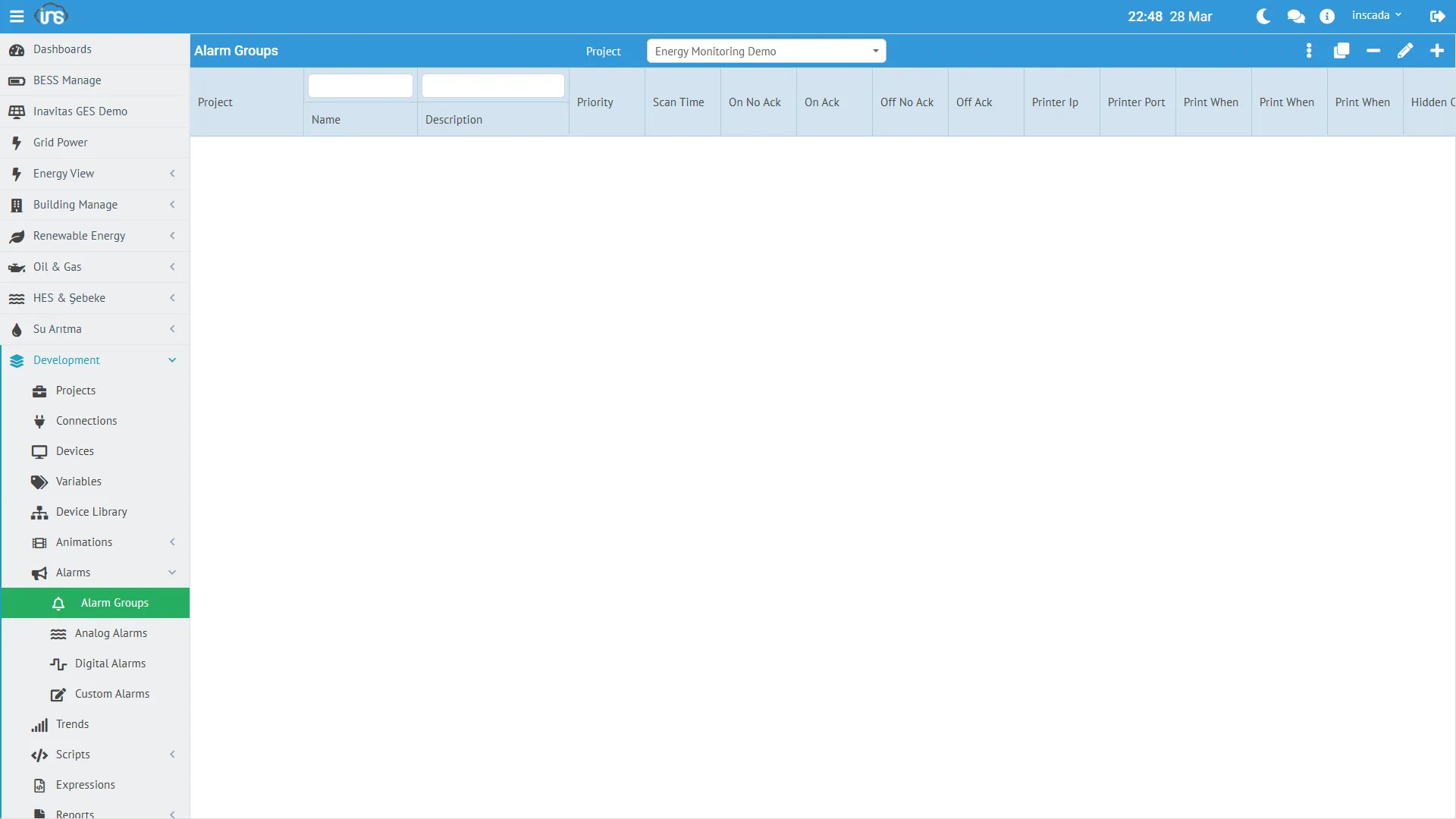
Alarm Group
Section titled “Alarm Group”An alarm group organizes alarm definitions and defines common behavior (scan period, priority, trigger scripts, colors, printer settings).
Core Fields
Section titled “Core Fields”| Field | Type | Required | Description |
|---|---|---|---|
| name | String (≤100) | Yes | Group name |
| dsc | String (≤255) | No | Description |
| scanTimeInMillis | Integer (≥100) | Yes | Alarm check period (ms) |
| priority | Short (1-255) | Yes | Priority level |
| projectId | String | Yes | Owning project |
Script Hooks
Section titled “Script Hooks”Script references that run automatically on alarm events — all optional:
| Field | Description |
|---|---|
| onScriptId | RepeatableScript that runs when the alarm fires |
| offScriptId | Script that runs when the alarm clears |
| ackScriptId | Script that runs when the alarm is acknowledged |
Colors
Section titled “Colors”Alarm monitor row background colors:
| Field | State |
|---|---|
| onNoAckColor | ON + not acknowledged |
| onAckColor | ON + acknowledged |
| offNoAckColor | OFF + not acknowledged |
| offAckColor | OFF + acknowledged |
Colors are stored as hex #RRGGBB.
Printer Integration
Section titled “Printer Integration”Alarm events can be pushed directly to a network printer:
| Field | Description |
|---|---|
| printerIp | Printer IP |
| printerPort | Printer port (0-65535) |
| printWhenOn | Print on fire |
| printWhenOff | Print on clear |
| printWhenAck | Print on acknowledge |
| printWhenComment | Print on comment |
Alarm Types
Section titled “Alarm Types”Each alarm row in the Alarm table carries a DiscriminatorValue selecting one of three subtypes.
Common Alarm Fields
Section titled “Common Alarm Fields”| Field | Type | Description |
|---|---|---|
| name | String (≤100) | Alarm name (unique within the project) |
| dsc | String (≤255) | Description |
| groupId | String | Owning alarm group |
| delay | Integer (ms, ≥0) | Debounce — must hold condition this long before firing |
| isActive | Boolean | Whether this definition is active |
| part | String (≤100) | Equipment / line code — used for filtering and reporting |
| onTimeVariableId | String | Optional variable that receives the ON timestamp |
| offTimeVariableId | String | Optional variable that receives the OFF timestamp |
Analog Alarm (type = "Analog")
Section titled “Analog Alarm (type = "Analog")”Threshold monitoring on numeric variables. Additional fields:
| Field | Description |
|---|---|
| variableId | Monitored variable |
| setPointValue | Reference value (for deviation computation) |
| highHighValue | Critical-high threshold |
| highValue | Warning-high threshold |
| lowValue | Warning-low threshold |
| lowLowValue | Critical-low threshold |
| deadband | Hysteresis (absolute) — delta required before the alarm re-clears |
| deviationPercentage | Percent deviation from setPoint |
| Threshold | Example |
|---|---|
| High-High | Temperature > 90 °C (critical) |
| High | Temperature > 70 °C (warning) |
| Low | Pressure < 2 bar (warning) |
| Low-Low | Pressure < 1 bar (critical) |
Unused thresholds can be left null — they will not be checked. deadband prevents chattering.
Digital Alarm (type = "Digital")
Section titled “Digital Alarm (type = "Digital")”Monitors boolean state changes.
| Condition | Behavior |
|---|---|
Value true | Alarm fires (ON) |
Value false | Alarm clears (OFF) |
Examples: motor fault contact, door-open contact, e-stop button.
Custom Alarm (type = "Custom")
Section titled “Custom Alarm (type = "Custom")”Arbitrary alarm condition expressed as JavaScript. Truthy → ON, falsy → OFF.
// Alarm that depends on two variablesvar power = ins.getVariableValue("ActivePower_kW").value;var temp = ins.getVariableValue("Temperature_C").value;return power > 500 && temp > 70;Alarm Lifecycle
Section titled “Alarm Lifecycle”The actual alarm status (FiredAlarmStatus enum) is two-valued:
ON (fired) → OFF (cleared)Acknowledge, comment, and force-off are not part of the status — they are separate fields / operations:
| Field / Operation | Meaning |
|---|---|
| acknowledgeTime / acknowledgedBy | Set when an operator acknowledges; the alarm may still be ON |
| commentTime / comment / commentedBy | Set when an operator adds a comment |
| forceOff operation | Drives the alarm OFF artificially, even if the condition still holds |
| offTime | Set when the condition naturally clears |
Operator Actions
Section titled “Operator Actions”| Action | Who | Changes status? |
|---|---|---|
| Acknowledge | Operator | No (acknowledgeTime fills in) |
| Comment | Operator | No (comment + commentTime fill in) |
| Force Off | Operator | Yes (ON → OFF) |
| Natural clear | System | Yes (offTime fills in) |
Color State Matrix
Section titled “Color State Matrix”| Status | Ack | Typical Color |
|---|---|---|
| ON | Not acked | Red blinking (onNoAckColor) |
| ON | Acked | Red solid (onAckColor) |
| OFF | Not acked | Yellow (offNoAckColor) |
| OFF | Acked | Normal (offAckColor) |
Alarm Monitoring
Section titled “Alarm Monitoring”Alarm Monitor
Section titled “Alarm Monitor”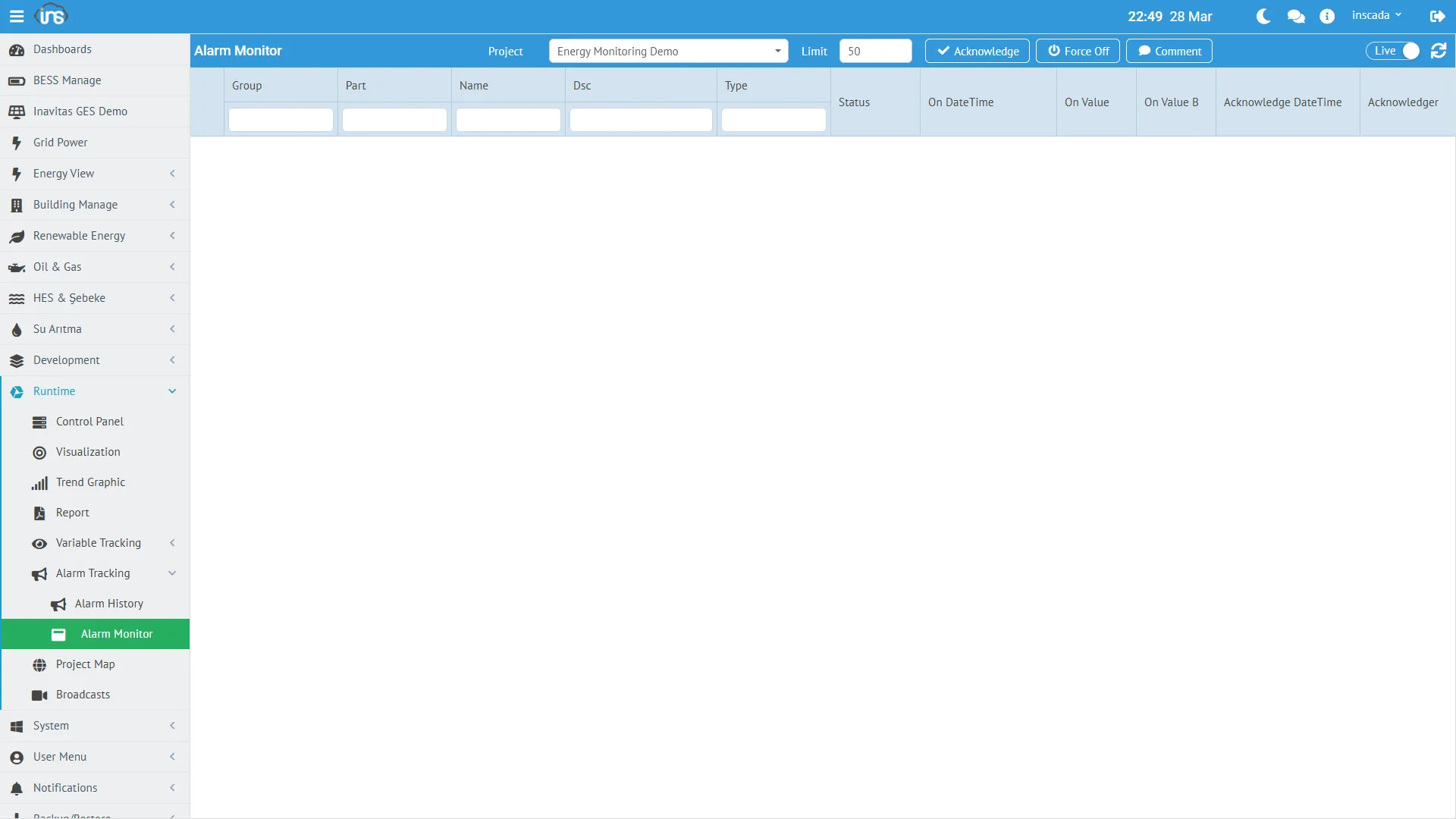
Live view of active alarms. From this screen the operator can:
- View alarms
- Acknowledge
- Comment
- Force off
Alarm Tracking
Section titled “Alarm Tracking”Historical alarm query by date range. Each FiredAlarm record has:
| Field | Description |
|---|---|
alarmName | Which alarm fired |
onTime | Fire timestamp |
offTime | Clear timestamp (null = still ON) |
status | On / Off |
acknowledgedBy / acknowledgeTime | Who acknowledged, when |
comment / commentedBy / commentTime | Comment metadata |
variableValue | Variable value at fire time |
part | Inherited from the definition — usable as a filter |
Scripting Alarms
Section titled “Scripting Alarms”// Last N fired alarms (exclude OFFs)var last10 = ins.getFiredAlarms(0, 10);// → [{ alarmName: "...", status: "On", onTime: ..., ... }, ...]
// Last N including OFFsvar last10Full = ins.getFiredAlarms(0, 10, true);
// History in date range (last 24h)var end = ins.now();var start = ins.getDate(end.getTime() - 86400000);var history = ins.getFiredAlarmsByDate(start, end, true, 100);
// Currently-fired alarmsvar current = ins.getCurrentAlarms(false);
// Disable an alarm group (maintenance mode)ins.deactivateAlarmGroup("Temperature_Alarms");// Re-enable after maintenanceins.activateAlarmGroup("Temperature_Alarms");
// Operator actions — take a FiredAlarmDtovar latest = ins.getFiredAlarm(0);if (latest) { ins.acknowledgeAlarm(latest); ins.commentAlarm(latest, "Maintenance team notified"); // ins.forceOffAlarm(latest); // to force clear}
// Alarm / group statusvar groupStatus = ins.getAlarmGroupStatus("Temperature_Alarms");// → "Active" or "Not Active"Details: Alarm API → | REST API Reference → (see Alarm Group, Analog Alarm, Digital Alarm, Custom Alarm, Fired Alarm, Alarm Controller Facade groups)