
From SCADA UX to User Interface and Development
We will examine the most effective tools we can use when transitioning from user experience design to user interface and implementation in SCADA and IIoT applications.
As a developer in the SCADA field, I think writing something under this heading will offer an innovative perspective both for myself and for application developers in the SCADA field like me. Additionally, this article will increase the interest of many software developers and designers who work on UX and UI design and development in the field of SCADA applications.
So what am I trying to convey?
What I am actually trying to reach here are two distinct audiences that develop applications and design in the same disciplines. The first of these are those who already know UX and UI concepts well, are proficient in modern application development techniques, and develop web applications using the necessary modern tools. The other audience is SCADA application developers, which I am also part of.
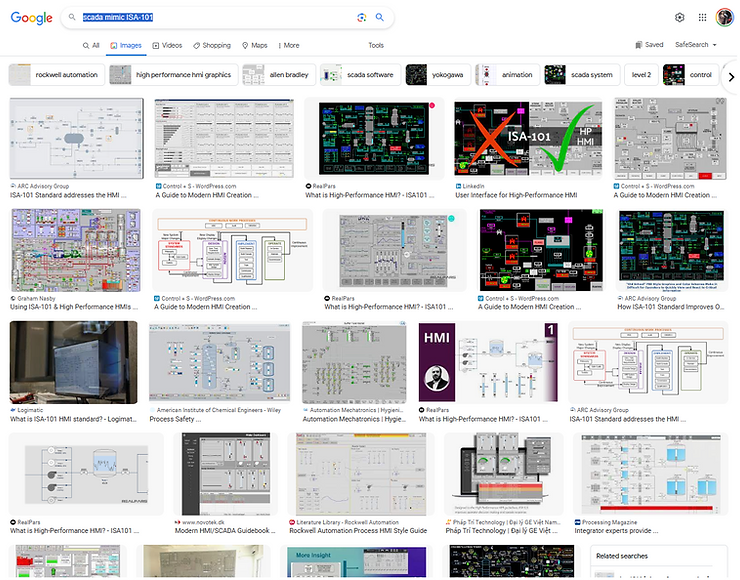
Results obtained when typing "scada mimic ISA-101" into Google Images search engine
The results, images and screenshots you see are all user interfaces of SCADA applications. These interfaces you see are called 'Mimic Screens' in the SCADA field. Although these interfaces in SCADA software are designed with interpretations of new design standards (ISA-101), similar results emerge.
From Figma to inSCADA
Together with our partner Des Elektroteknik, who develops automation solutions in the marine sector, we are developing a SCADA application on the inSCADA Platform related to a ship's 'HVAC and Water System'. We realized that the project owner Teknotherm Marine had an innovative vision for the application, was working with a professional design team on this matter, and wanted to proceed with OpenBridge Design System 5.0 standards.
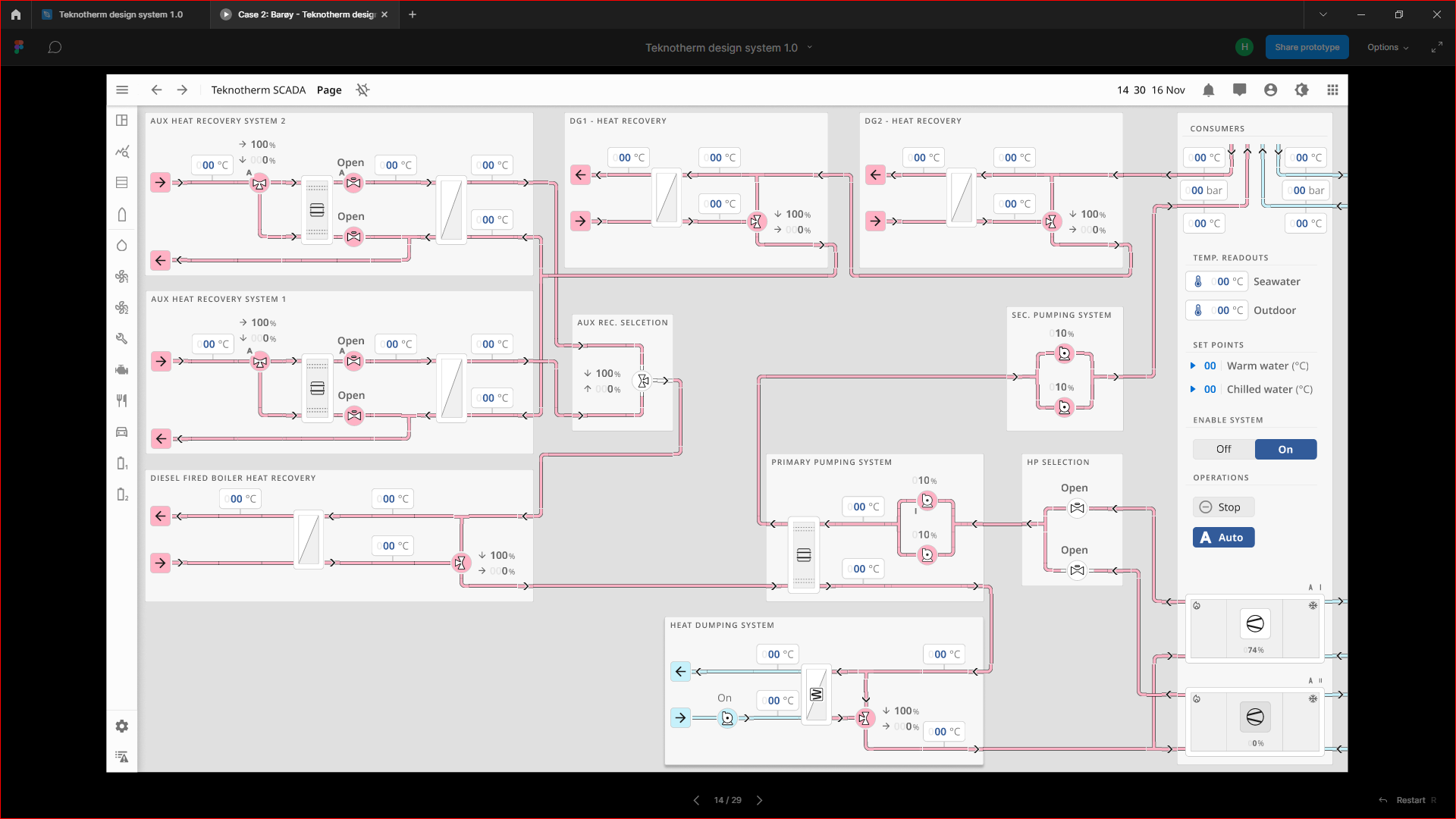
Figure 2: Figma Preview for SCADA Application UI and Water System Mimic — Thermal Energy Management System (TEMS) by Teknotherm Marine AS. Design based on OpenBridge Design System 5.0
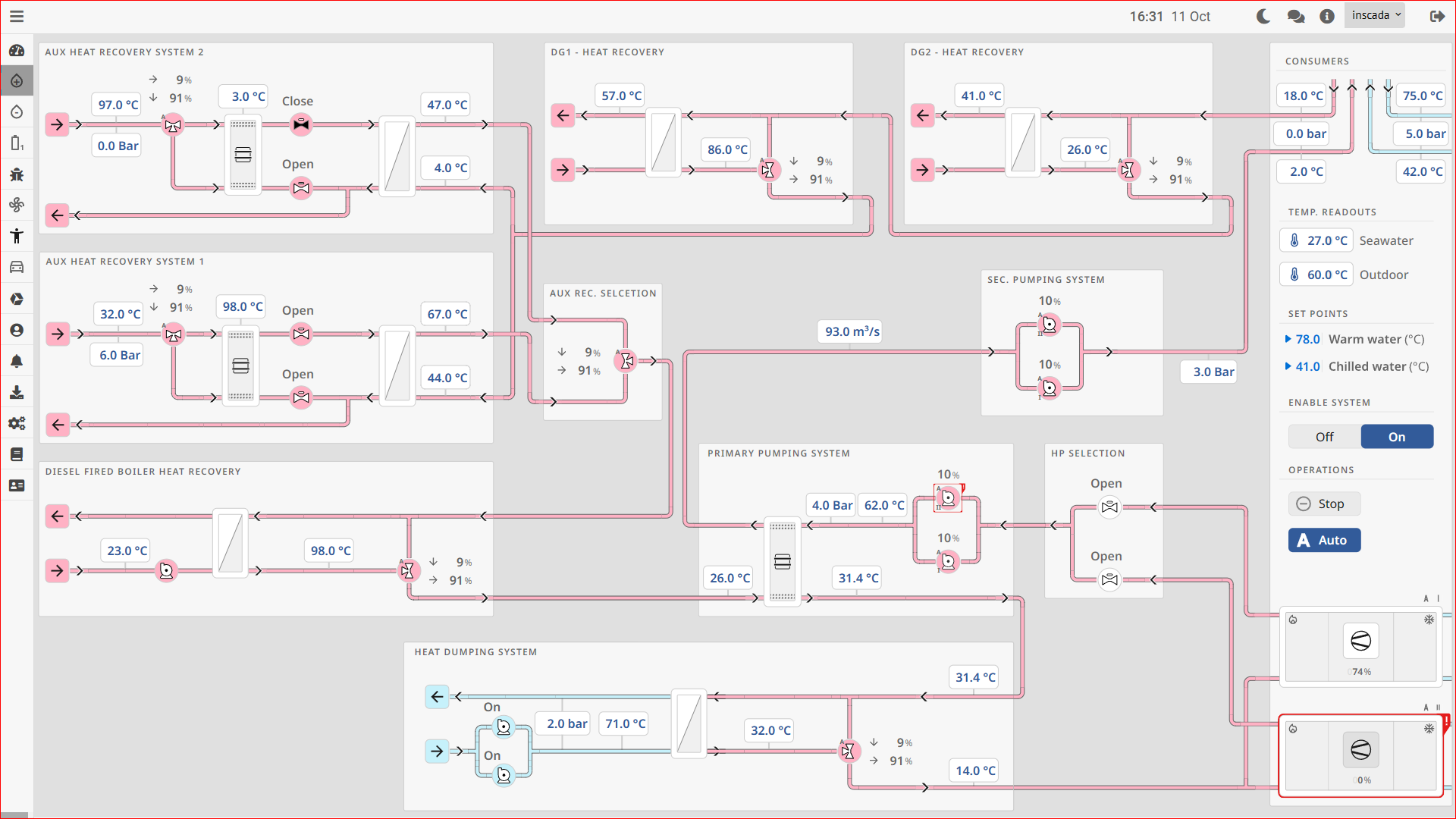
Figure 3: Water System Mimic at inSCADA Runtime
A UI designed in Figma can be transferred to the inSCADA platform quickly and without loss, without the need for front-end development work (CSS, JavaScript), and put to immediate use.
SVG-Based Visualization
The key feature that allows a UI designed in Figma to quickly become an application is inSCADA's ability to perform SVG-based visualization. We can export in SVG format with appropriate settings from Figma and instantly transfer it to the inSCADA platform.
"In the inSCADA platform, you can bind any animation type (get, color, rotate, move, etc.) and data to any object (text, rectangle, path, etc.) in mimic screens (SVG)."
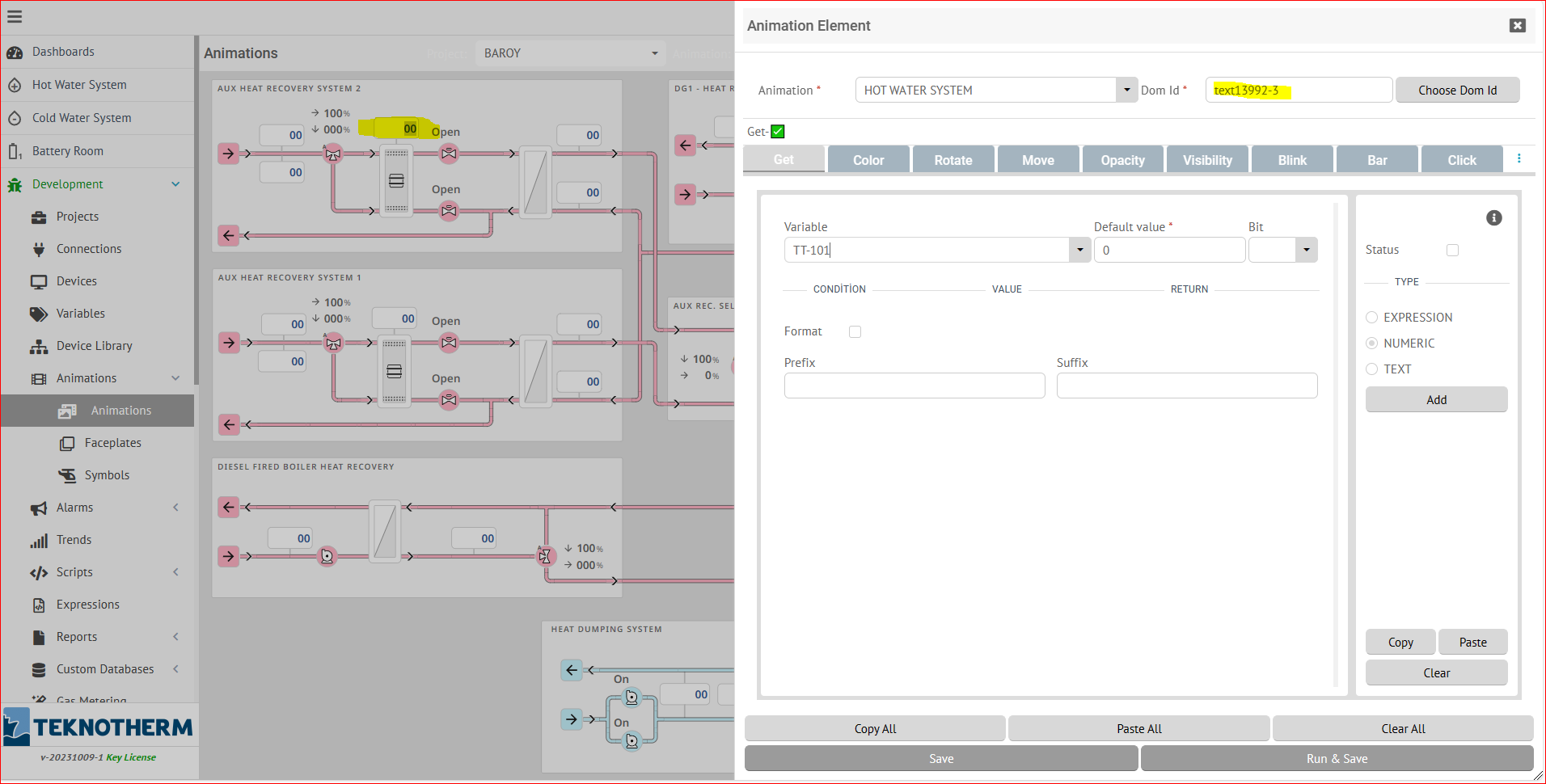
Figure 4: Binding 'GET' animation to the selected text object on the inSCADA Platform
The technique of binding animations and data to objects over SVG, which the inSCADA platform uses for visualization, actually saves developers from entering into many programming and development details. It allows focusing solely on requirements and customer needs. The revision requests between design and implementation teams and the time spent on the project as a result are reduced. In summary, productivity increases.