
SVG Animations
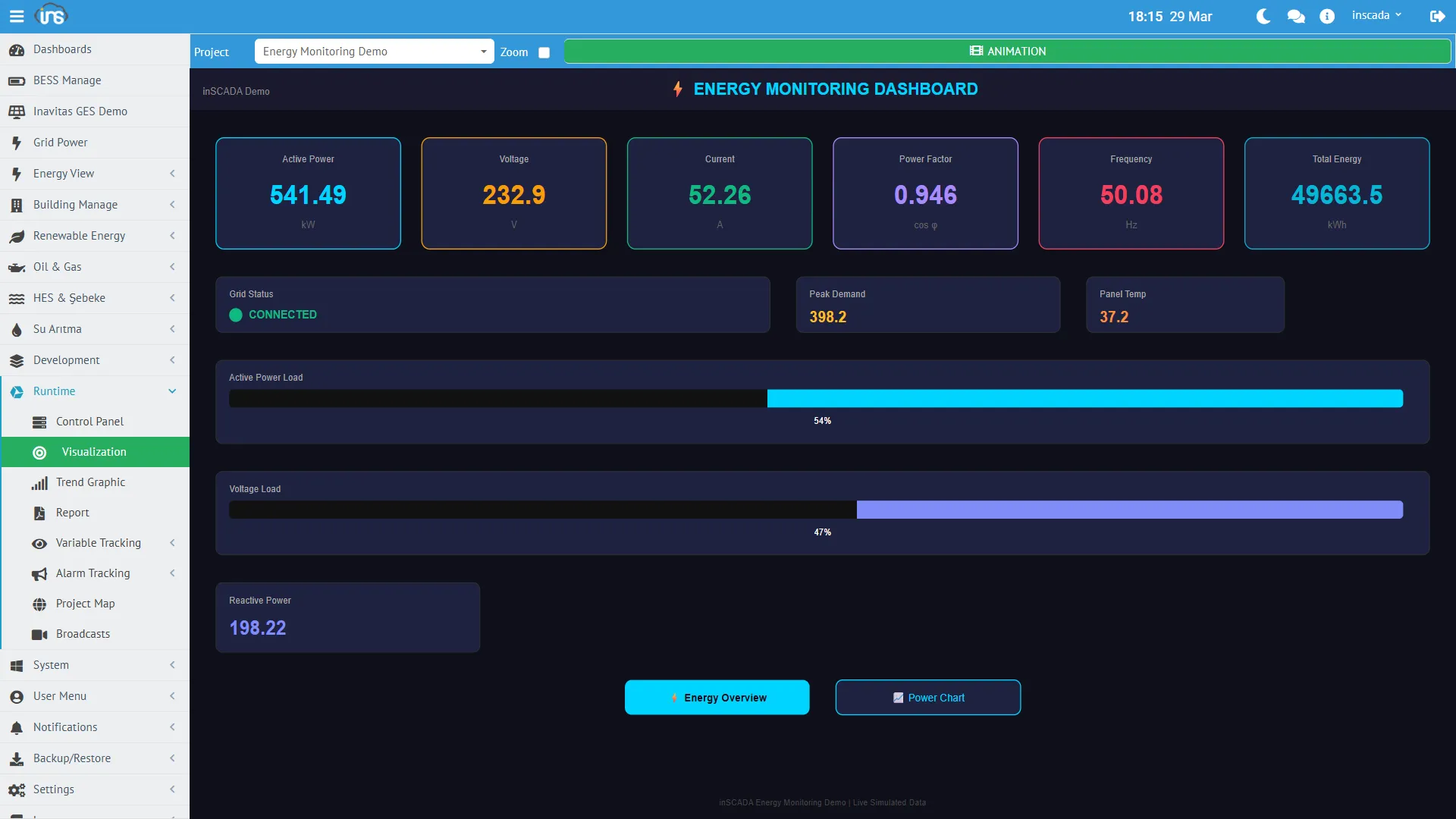
SVG Animation is inSCADA’s core visualization component. Each animation consists of an SVG file and creates real-time SCADA screens by binding to variable values.
Creating an Animation
Section titled “Creating an Animation”Menu: Development → Animations → Animation Dev
| Field | Required | Description |
|---|---|---|
| Name | Yes | Screen name (unique within the project) |
| SVG Content | Yes | SVG source code |
| Duration | Yes | Animation update period (ms, min: 100) |
| Play Order | Yes | Sort order (when there are multiple screens) |
| Main | Yes | Is this the main screen |
| Color | No | Background color |
| Description | No | Description |
Animation Structure
Section titled “Animation Structure”Each animation consists of three components:
Animation├── SVG Content (visual structure of the screen)├── Animation Elements (variable bindings)│ ├── Element 1: "temp_text" → Temperature_C (text binding)│ ├── Element 2: "motor_rect" → MotorStatus (color binding)│ └── Element 3: "valve_group" → ValvePosition (rotation binding)└── Animation Scripts (screen open/close scripts) ├── Pre-Animation Code (when screen opens) └── Post-Animation Code (when screen closes)Animation Elements
Section titled “Animation Elements”An Animation Element binds a DOM element within the SVG to a variable. Depending on the binding type, the element’s text, color, position, visibility, and other properties are updated according to the variable’s value.
Element Definition
Section titled “Element Definition”| Field | Description |
|---|---|
| SVG Element ID | The id attribute of the target element in the SVG |
| Variable | Variable to bind to |
| Type | Binding type (see table below) |
| Expression | Custom transformation formula (optional) |
Binding Types
Section titled “Binding Types”| Type | Description | Example |
|---|---|---|
| Text | Updates the element’s text content | Temperature: 25.4°C |
| Color | Changes the element’s fill/color | Alarm: red/green |
| Visibility | Show/hide the element | Show arrow icon if motor is running |
| Rotation | Rotate the element | Valve position: 0°-90° |
| Translation | Move the element (X/Y) | Level indicator: 0-100% |
| Scale | Scale the element | Bar chart height |
| Opacity | Set transparency | Show faded when communication is lost |
| Class | Add/remove CSS class | Status-based style change |
Advanced Binding with Expressions
Section titled “Advanced Binding with Expressions”A custom JavaScript expression can be assigned to an element:
// Color binding: select color based on valueif (value > 80) return '#ff0000'; // redelse if (value > 60) return '#ff8800'; // orangeelse return '#00cc00'; // green// Text binding: add unit and formatreturn value.toFixed(1) + ' °C';// Visibility: multiple conditionsvar power = ins.getVariableValue("ActivePower_kW").value;var status = ins.getVariableValue("GridStatus").value;return power > 100 && status;Animation Scripts
Section titled “Animation Scripts”Pre/post scripts can be assigned to each animation:
| Script | Execution Time | Usage |
|---|---|---|
| Pre-Animation Code | When screen opens (initial load) | Initial values, data fetching |
| Post-Animation Code | When screen closes | Cleanup, resource release |
// Pre-Animation: Fetch last 1 hour of power data and feed to chartvar endMs = ins.now().getTime();var startMs = endMs - (60 * 60 * 1000);var logs = ins.getLoggedVariableValuesByPage( ['ActivePower_kW'], ins.getDate(startMs), ins.getDate(endMs), 0, 30);// Update chart in SVG...SVG Design Principles
Section titled “SVG Design Principles”ID Rules
Section titled “ID Rules”Assign meaningful id values to SVG elements — Animation Elements reference these:
<text id="temp_display">--</text><rect id="motor_indicator" fill="#cccccc"/><g id="valve_group" transform="rotate(0)"> <path d="..."/></g>Responsive Design
Section titled “Responsive Design”The animation’s alignment property determines how the screen behaves at different resolutions.
Real-Time Updates
Section titled “Real-Time Updates”When an animation is opened, a WebSocket connection is established. The platform pushes variable values to the client at the interval specified in the duration parameter, and bindings are automatically updated. No page refresh is required.
Placeholder (Parametric Screen)
Section titled “Placeholder (Parametric Screen)”Placeholders can be defined for animations. The same SVG design can be reused with different parameters (different device, different variable set).
Example: Design a “Motor Detail” screen, define {motor_name} as a placeholder. Open the same screen with different parameters for different motors.