
Project Management
A project is the fundamental organizational unit in inSCADA. It represents a facility, site, or logical unit. All connections, variables, alarms, scripts, and screens are bound to a project.
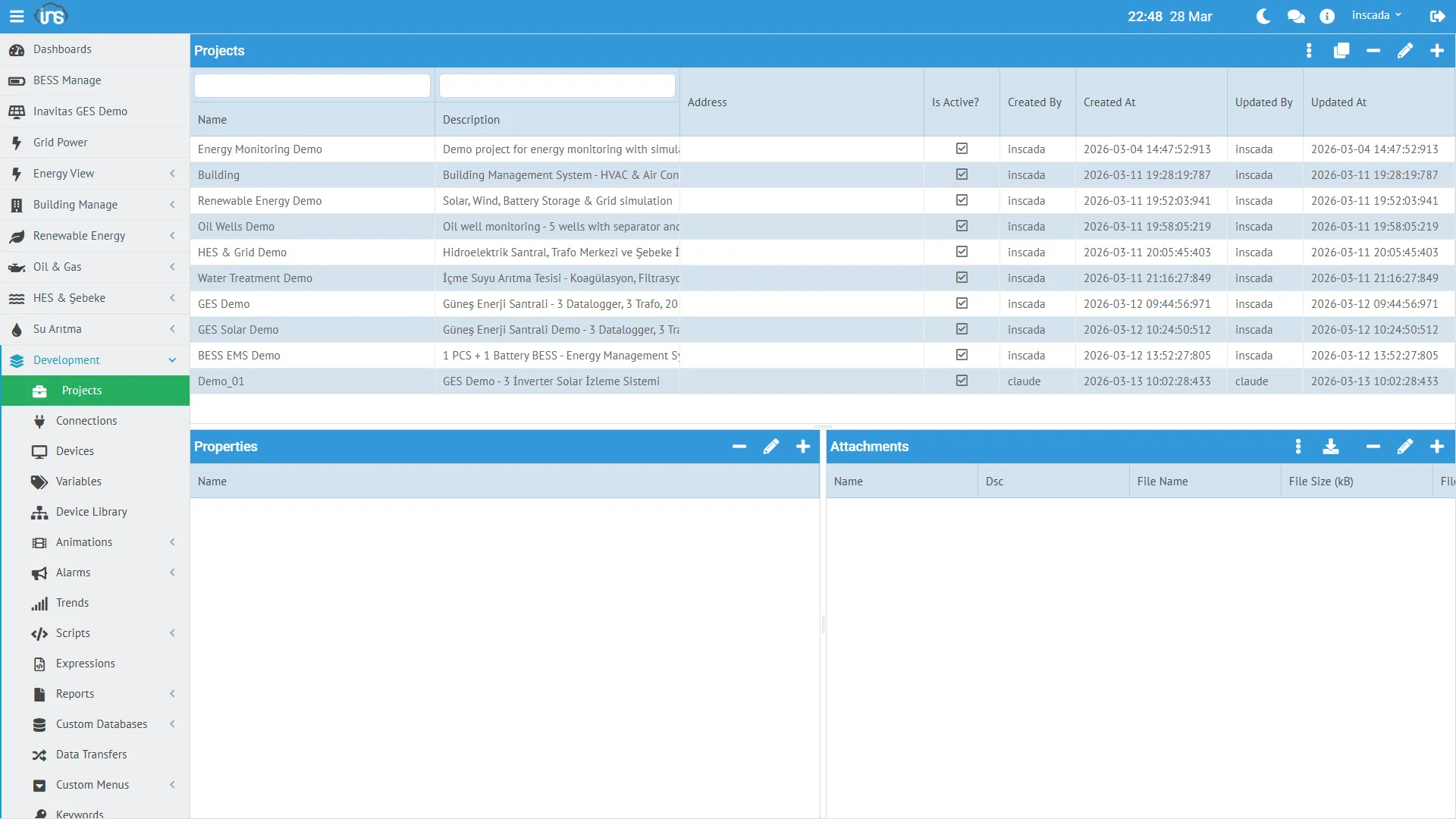
Creating a Project
Section titled “Creating a Project”Menu: System → Projects → New Project
| Field | Required | Description |
|---|---|---|
| Name | Yes | Project name (unique within the space) |
| Description | No | Description |
| Latitude / Longitude | No | GIS map coordinates |
| Active | Yes | Active/inactive status |
Project Status
Section titled “Project Status”The operational status of each project can be monitored on a per-component basis:
{ "connectionStatuses": { "153": "Connected" }, "scriptStatuses": { "160": "Not Scheduled", "159": "Not Scheduled" }, "dataTransferStatuses": {}, "reportStatuses": {}, "alarmGroupStatuses": {}}| Component | Possible States |
|---|---|
| Connection | Connected, Disconnected, Error |
| Script | Running, Not Scheduled, Error |
| Data Transfer | Running, Not Scheduled |
| Report | Scheduled, Not Scheduled |
| Alarm Group | Active, Inactive |
Project Structure
Section titled “Project Structure”Components added to a project after creation:
Project: "Energy Monitoring Demo"├── Connection: LOCAL-Energy (LOCAL protocol)│ └── Device: Energy-Device│ └── Frame: Energy-Frame│ ├── Variable: ActivePower_kW│ ├── Variable: Voltage_V│ ├── Variable: Current_A│ └── ... (10 variables)├── Script: Chart_ActiveReactivePower├── Script: Test_LoggedValues├── Animation: (SVG screens)├── Trend: (trend definitions)└── Report: (report definitions)Project Map
Section titled “Project Map”If coordinates are assigned to projects, they can be visualized on the map in the Project Map screen:
| Field | Example |
|---|---|
| Latitude | 37.9 |
| Longitude | 32.5 |
Clicking on a project point on the map displays a popup with real-time status information.
Managing Projects with Scripts
Section titled “Managing Projects with Scripts”// List all projectsvar projects = ins.getProjects();
// Update project locationins.updateProjectLocation(41.0082, 28.9784);Detailed API: Project API → | REST API →