
Logs & Audit
inSCADA automatically records all significant events on the platform. Logs are stored in a time-series database and can be queried by date range.
Event Logs
Section titled “Event Logs”Menu: Logs → Log
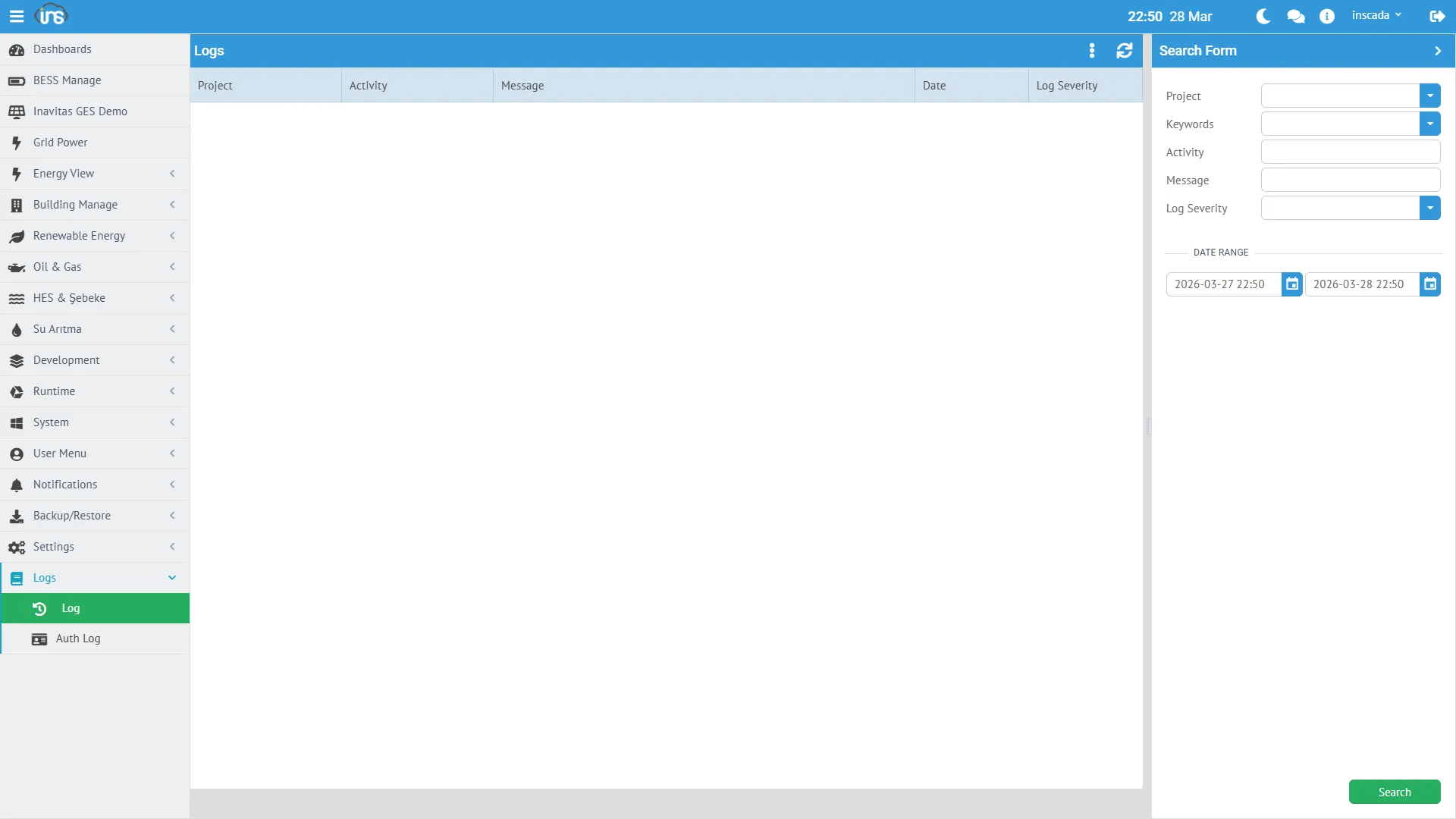
Each event record contains the following information:
| Field | Description |
|---|---|
| activity | Operation name |
| msg | Log message |
| logSeverity | Level: Information, Warning, Error |
| dttm | Timestamp |
| projectId | Related project |
Automatically Recorded Events
Section titled “Automatically Recorded Events”| Event | Level | Description |
|---|---|---|
| Script error | Error | Script execution errors and stack trace |
| Connection change | Information | Connection start/stop |
| Configuration change | Information | Project, variable, alarm CRUD operations |
| User action | Information | Login, logout, password change |
Writing Logs from Scripts
Section titled “Writing Logs from Scripts”Log entries can be created manually from within scripts:
ins.writeLog("INFO", "Automation", "Shift change completed");// → OKQuerying Logs
Section titled “Querying Logs”var end = ins.now();var start = ins.getDate(end.getTime() - 3600000); // 1 hourvar logs = ins.getLogsByPage(start, end, 0, 10);Response:
[ { "activity": "Script Test", "dttm": 1774688982859, "msg": "Documentation test log entry", "projectId": 153, "logSeverity": "Information" }]Retention Period
Section titled “Retention Period”Event logs are retained for 14 days by default. This duration is determined by the InfluxDB retention policy (event_log_rp).
Login Attempts (Auth Log)
Section titled “Login Attempts (Auth Log)”Menu: System → Auth Log
All login attempts (successful and failed) are recorded:
{ "msg": "inscada logged in successfully", "ip": "0:0:0:0:0:0:0:1", "username": "inscada", "date": { "epochSecond": 1774689046 }, "isSuccessful": true}| Field | Description |
|---|---|
| username | User who attempted to log in |
| ip | Client IP address |
| isSuccessful | Whether it was successful |
| msg | Detail message |
| date | Timestamp |
Security Monitoring
Section titled “Security Monitoring”// Check failed login attemptsvar attempts = ins.getLastAuthAttempts();var failed = 0;for (var i = 0; i < attempts.size(); i++) { if (!attempts.get(i).isSuccessful) { failed++; }}if (failed > 5) { ins.notify("error", "Security", failed + " failed login attempts!");}Retention Period
Section titled “Retention Period”Login attempts are retained for 365 days (auth_attempt_rp).
Online Users
Section titled “Online Users”Menu: System → Auth Log → Online Users
Displays the currently logged-in users. Administrators can terminate active sessions.
Script Logs
Section titled “Script Logs”If a script has the log: true setting enabled, each execution result is automatically logged:
- Successful execution duration
- Error message and stack trace in case of failure
{ "activity": "test", "msg": "Script test failed. Cause: TypeError: ins.getScripts is not a function", "logSeverity": "Error"}Console Log
Section titled “Console Log”Debug logs can be written using ins.consoleLog():
ins.consoleLog("Debug: power = " + power + " kW");These logs appear in the server console output (stdout).
Detailed API: Log API →